
Key facts
Start here
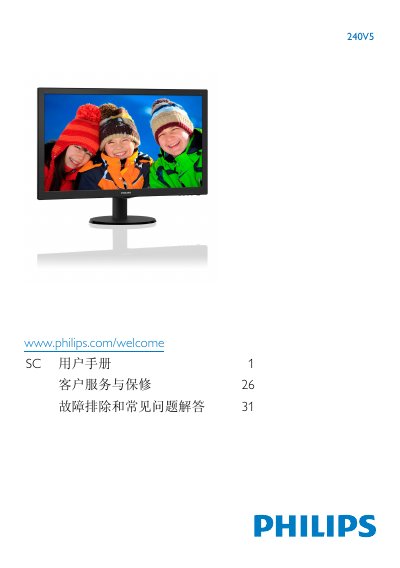
Philips 240V5 Monitor User Manual
This user manual covers the installation, operation, and image optimization settings for the Philips 240V5 monitor. It includes instructions on connecting the monitor to a PC, using the on-screen display (OSD) menu, and adjusting picture settings such as brightness, contrast, and color temperature. The guide also explains how to remove the stand and provides information on safety precautions and environmental disposal. This manual is written in Chinese.
Read onlinePhilips 240V5 specifications
| Panel Type | VA LCD |
|---|---|
| Panel Size | 23.8" W (60.5 cm) |
| Aspect Ratio | 16:9 |
| Pixel Pitch | 0.275 x 0.275 mm |
| Contrast Ratio | 10,000,000:1 |
| Response Time (Typical) | 16ms |
| SmartResponse Time | 4 ms(GtG) |
| Best Resolution | 1920 × 1080 @ 60Hz |
| Viewing Angle | 178° (H) / 178° (V) |
| Display Colors | 16.7M |
| Vertical Refresh Rate | 56Hz -76Hz |
| Horizontal Frequency | 30kHz - 83kHz |
| VESA Mount | (100 x 100mm) |
All Philips 240V5 documents by type
Day-to-day operation, settings and troubleshooting. Start here if the product is already set up.
- Philips 240V5 Monitor User Manual 23 p
- Philips 240V5 Monitor User Manual 36 p
- PHILIPS TL5 Lights High-frequency regulate II HF-Regulator 124 TL5/PL-L EII 220-240V 50/60Hz user manual 2 p
- Philips TD 236 PL-L EII 220-240V 50/60Hz User Manual 2 p
- PHILIPS TL-D Lights High-frequency regulate II HF-Regulator 158 TL-D EII 220-240V 50/60Hz user manual 2 p
- PHILIPS TL5 Lights High-frequency regulate II HF-Regulator 324 TL5/PL-L EII 220-240V 50/60Hz user manual 2 p
- PHILIPS TL-D Lights High-frequency regulate II touch Typeand digital Addressable Lighting Interface HF-Regulator TD 318 TL-D EII 220-240V 50/60Hz user manual 2 p
- PHILIPS TL-D Lights High-frequency regulate II touch Typeand digital Addressable Lighting Interface HF-Regulator TD 218 TL-D EII 220-240V 50/60Hz user manual 2 p
- PHILIPS TL5 Lights High-frequency regulate II HF-Regulator 149 TL5 EII 220-240V 50/60Hz user manual 2 p
- Philips HF-RTD 140 PL-L 220-240V 50/60Hz High Frequency Regulator User Manual 2 p
- PHILIPS EB-P 218 PL-T/C ICC 220-240V 50/60Hz Manual 2 p
- PHILIPS EB-P 226 PL-T/C ICC 220-240V 50/60H Manual 2 p
- PHILIPS HF-Regulator TD 240 PL-L EII 220-240V 50/60Hz Manual 2 p
- PHILIPS HF-Regulator 236 TL-D EII 220-240V 50/60Hz Manual 2 p
- PHILIPS HID-PV Xt 45 /S CPO-TW 220-240V 50/60Hz Manual 2 p
- PHILIPS TL5 Lights High-frequency regulate II touch Typeand digital Addressable Lighting Interface HF-Regulator TD 414 TL5 EII 220-240V 50/60Hz Manual 2 p
- PHILIPS TL5 Lights High-frequency regulate II HF-Regulator 180 TL5/PL-L EII 220-240V 50/60Hz Manual 2 p
- PHILIPS TL5 Lights High-frequency regulate II HF-Regulator 2 14-35 TL5 EII 220-240V 50/60Hz Manual 2 p
- PHILIPS PLT/C Lights EBPrimalume Electronic Ballast EB-P 126 PL-T/C ICC 220-240V 50/60Hz Manual 2 p
- PHILIPS HF-Regulator 249 TL5 EII 220-240V 50/60Hz TL5 Lights High-frequency regulator II Manual 2 p
- PHILIPS HF-Regulator 154 TL5 EII 220-240V 50/60Hz TL5 Lights High-frequency regulator II Manual 2 p
- PHILIPS HF-Regulator 136 PL-L EII 220-240V 50/60Hz PL-L Lights High-frequency regulator II Manual 2 p
- PHILIPS TL-D Lights High-frequency regulate II HF-Regulator 258 TL-D EII 220-240V 50/60Hz Manual 2 p
- PHILIPS PLT/C Lights EBPrimalume Electronic Ballast EB-P 113 PL-T/C ICC 220-240V 50/60Hz user manual 2 p
- PHILIPS TL-D Lights High-frequency regulate II HF-Regulator 418 TL-D EII 220-240V 50/60Hz user manual 2 p
- PHILIPS HF-Regulator 140 PL-L EII 220-240V 50/60Hz Manual 2 p
- PHILIPS TL-D Lights High-frequency regulate II touch Typeand digital Addressable Lighting Interface HF-Regulator TD 118 TL-D EII 220-240V 50/60Hz Manual 2 p
- PHILIPS PL-L Lights High-frequency regulate II HF-Regulator 236 PL-L EII 220-240V 50/60Hz In accordance with the instructions 2 p
- PHILIPS PL-T PL-C PL-R Lights High-frequency regulator II touch Typeand digital Addressable Lighting Interface HF-R TD 218 PL-T/C EII 220-240V 50/60Hz In accordance with the instructions 2 p
Ratings, dimensions and ordering codes, for selection and design work.
- PHILIPS HF-Regulator 314 TL5 EII 220-240V 50/60Hz Manual 2 p
- PHILIPS PL-L Lights High-frequency regulate II touch Typeand digital Addressable Lighting Interface HF-Regulator TD 255 PL-L EII 220-240V 50/60Hz Manual 2 p
- PHILIPS PL-L Lights High-frequency regulate II touch Typeand digital Addressable Lighting Interface HF-Regulator TD 136 PL-L EII 220-240V 50/60Hz Manual 2 p
- Philips EB-P 118 PL/T/C ICC 220-240V 50/60Hz Electronic Ballast Manual 2 p
- PHILIPS TL5 Lights High-frequency regulate II touch Typeand digital Addressable Lighting Interface HF-Regulator TD 314 TL5 EII 220-240V 50/60Hz Manual 2 p
- PHILIPS HF-Regulator 1 14-35 TL5 EII 220-240V 50/60Hz TL5 Lights High-frequency regulator II Manual 2 p
- PHILIPS HF-Regulator 254 TL5 EII 220-240V 50/60Hz TL5 Lights High-frequency regulator II Manual 2 p
- PHILIPS HF-R TD 118 PL-T/C EII 220-240V 50/60Hz touch typeanddigital Addressable Lighting Interface Manual 2 p
- PHILIPS HF-Regulator 139 TL5 EII 220-240V 50/60Hz TL5 Lights High-frequency regulator II Manual 2 p
- PHILIPS TL5 Lights High-frequency regulate II HF-Regulator 424 TL5/PL-L EII 220-240V 50/60Hz Manual 2 p
Questions answered in these manuals
What is the best resolution for this monitor?
The monitor performs best at its native resolution of 1920 x 1080 @ 60 Hz.
What happens if I display static images for a long time?
It may cause image retention (burn-in), which might not disappear and is not covered by the warranty if the screen saver is not activated.
At what resolution and refresh rate does the monitor perform best?
1920 x 1080 @ 60 Hz.
What temperature and humidity conditions are recommended for using the monitor?
0-40˚C (32-95˚F) and 20-80% RH.
What is the input voltage range of the regulator?
The regulator operates on an input voltage of 220‑240 V.
At what frequency does the regulator work?
It works at a frequency of 50‑60 Hz (specified as 50760 Hz).