
Key facts
- Brand
- Philips
- Model
- DVP2880
- Category
- Other Electronics
- Documents
- 4
- Languages
- EN · ES
- Last added
- 2026-11-08
Start here
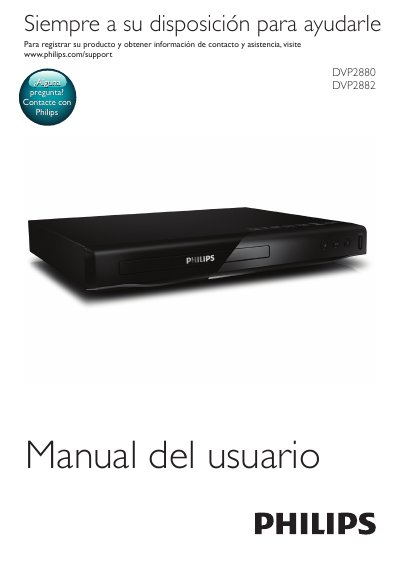
Philips DVD players DVP2880 and DVP2882 user manual
This user manual covers the setup and operation of the Philips DVP2880 and DVP2882 DVD players. It details how to connect the device to various outputs such as HDMI, SCART, and Coaxial, and explains the functions of the remote control buttons for playback, navigation, and menu access. The guide also includes instructions for using Philips EasyLink and managing disc menus. This manual is written in Spanish.
Read onlinePhilips DVP2880 specifications
| Playback source | Disc or USB storage device |
|---|---|
| Supported DivX subtitle formats | .srt, .sub, .txt, .ssa, and .smi |
| EasyLink protocol | HDMI CEC (Consumer Electronics Control) |
| Repeat play options | Current title, chapter, or track |
All Philips DVP2880 documents by type
Day-to-day operation, settings and troubleshooting. Start here if the product is already set up.
Questions answered in these manuals
How do I play DivX videos on the Philips DVP2880?
You can play DivX videos from a disc or a connected USB storage device.
How do I create a musical slideshow?
Play music and pictures simultaneously to create a musical slideshow.
How do I register my product?
Visit www.philips.com/support to register your product and get contact information.
How do I play DivX videos?
You must first register your device at vod.divx.com using the registration code found in the device setup menu.
How do I register the DVP2880 for DivX VOD?
Visit vod.divx.com and register the player using its DivX VOD code, which you can display via [Configuración] > [General] > [Cód VAS DivX(R)].
DivX subtitles are not displayed correctly - what can I do?
Change the DivX subtitle character set under [Configuración] > [Preferencias] > [Subtítlo DivX]; options include Standard, Central Europe, Cyrillic and Greek.