
Key facts
- Brand
- Philips
- Model
- 7FF1M4
- Category
- digital photo frame
- Documents
- 2
- Languages
- ES · EN
- Last added
- 2023-10-31
Start here
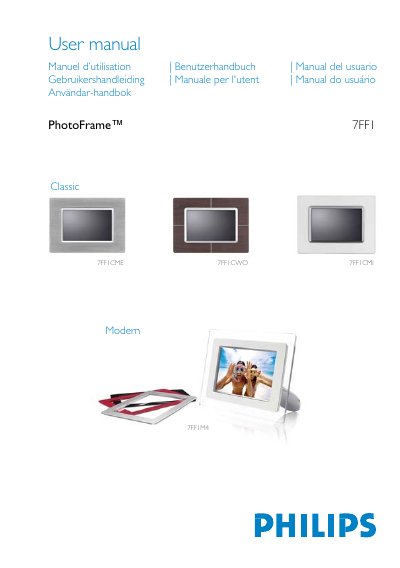
Philips 7FF1 PhotoFrame Modern Classic 7FF1M4 7FF1CME 7FF1CWO 7FF1CMI Digital Photo Frame User Manual
The Philips 7FF1 PhotoFrame Modern Classic is a digital photo frame available in the 7FF1M4, 7FF1CME, 7FF1CWO, and 7FF1CMI versions. The manual covers the checklist, initial setup, language selection, specifications, and basic photo operations.
The frame can be placed horizontally or vertically and has an internal rechargeable battery or can run from AC power. It includes a built-in card reader for SD, MMC, Memory Stick/MS Pro, and CompactFlash Type I cards, and can show JPEG photos up to 12 megapixels. Control keys are on the back of the unit, with matching function icons on the LCD. This manual is written in Spanish.
Philips 7FF1M4 specifications
| Effective viewing area | 137 x 91 mm (5.4 x 3.6 in), 6.5 in diagonal |
|---|---|
| Resolution | 720 x 480 pixels |
| Brightness | 200 nits |
| Memory capacity | 50 photos or more |
| Supported photo format | JPEG up to 12 megapixels, EXIF and DCF compliant |
| Power adapter | AC 100-240 V, 50/60 Hz, 0.36 A; DC 5 V, 2.5 A |
| CompactFlash support | Type I only |
| Menu languages | English, French, German, Italian, Spanish, Simplified Chinese, Japanese |
All Philips 7FF1M4 documents by type
Day-to-day operation, settings and troubleshooting. Start here if the product is already set up.
Questions answered in these manuals
How do I turn on the photo frame?
Move the switch to ON; the green indicator lights and the startup screen appears.
What photo file format is supported?
JPEG photos up to 12 megapixels that follow EXIF and DCF standards are supported.
How do I turn the PhotoFrame on?
Slide the power switch up to the ON position; the power LED will turn green and the startup screen appears.
What accessories are included with the PhotoFrame?
The package contains an AC power adaptor (100‑240 V), a USB cable, a quick‑start guide, and a CD‑ROM with the full user manual.