
Key facts
- Brand
- Philips
- Model
- MP2
- Category
- Other device
- Documents
- 4
- Languages
- EN · ZH
- Last added
- 2023-10-17
Start here
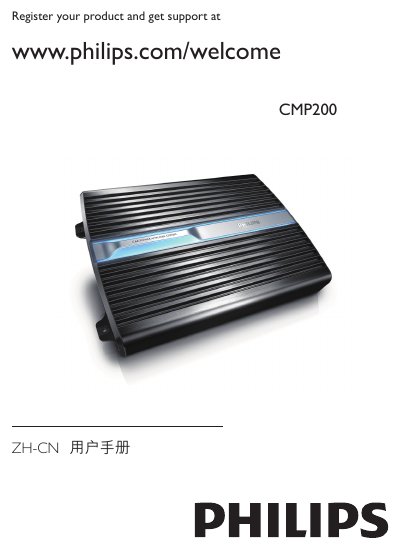
Philips CMP200 Car Power Amplifier User Manual
This manual introduces the Philips CMP200 car power amplifier, describing its features, safety warnings, and the items included in the package. It explains how to install the unit in a vehicle, connect speakers and the car audio system, and configure the high‑pass/low‑pass filters and bass boost.
The guide also covers power connections, protection indicator behavior, specifications, troubleshooting steps, and environmental compliance information. Detailed diagrams and tables help users set input levels, replace fuses, and ensure proper speaker impedance. This manual is written in Chinese.
Philips MP2 specifications
| Display resolution | 320 x 240 (QVGA) |
|---|---|
| Weight | 1.5 kg (3.3 lb) |
| Dimensions (WxHxD) | 188 x 99 x 86 mm |
| Battery operating time | up to 3 hours |
| Power consumption | < 40 W average, < 65 W peak |
| Operating temperature range | 0 °C to 40 °C |
| Storage temperature range | -20 °C to 60 °C |
| Altitude range (operating) | -500 m to 3000 m |
| Maximum simultaneous measurement waves | 3 |
| ECG lead capability | 12‑lead ECG monitoring |
Source: Philips M8102A IntelliVue MP2 Patient Monitor Technical Data Sheet
All Philips MP2 documents by type
Disassembly, diagnostics and part numbers, for repair.
Ratings, dimensions and ordering codes, for selection and design work.
Day-to-day operation, settings and troubleshooting. Start here if the product is already set up.
Questions answered in these manuals
Who should use this guide?
This guide is for biomedical engineers or technicians responsible for installing, troubleshooting, repairing, and maintaining Philips' patient monitoring systems.
From: Philips IntelliVue MP2/X2 Patient Monitor Service Guide
What is the password for Service Mode?
The password required to access Service Mode is 1345.
From: Philips IntelliVue MP2/X2 Patient Monitor Service Guide
How long can the IntelliVue MP2 operate on battery power?
The monitor can operate using battery power for up to 3 hours.
From: Philips M8102A IntelliVue MP2 Patient Monitor Technical Data Sheet
What is the display resolution of the MP2 monitor?
It has a QVGA display with a resolution of 320 × 240 pixels.
From: Philips M8102A IntelliVue MP2 Patient Monitor Technical Data Sheet
What type of speakers can be connected to the CMP200?
Use speakers with an impedance of 2 Ω to 8 Ω (4 Ω to 8 Ω when bridged) and match the left/right and +/‑ terminals correctly.
What does the red PROTECT indicator mean?
The red PROTECT indicator shows that the built‑in protection circuit has activated due to overheating, DC current, under/over‑voltage, or a speaker short, and the unit will shut down automatically.