
Key facts
- Brand
- Philips
- Model
- SA1VBE02 SA1VBE04 SA1VBE08 SA1VBE16
- Category
- Player
- Industry
- Electronics
- Documents
- 4
- Languages
- ZH · EN
- Last added
- 2023-01-11
Start here
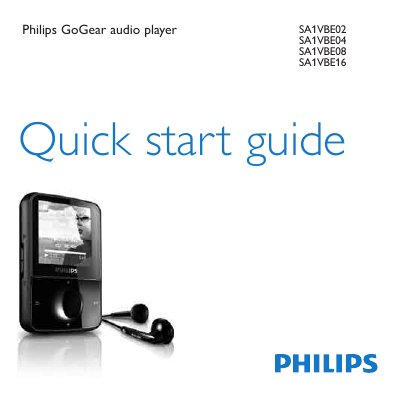
Philips SA1VBE02 SA1VBE04 SA1VBE08 SA1VBE16 Quick Start Guide
This guide walks you through registering your GoGear Vibe, checking the contents of the box, and learning the layout of the controls and connections. It also explains how to connect the device to a computer, charge it for the first time, and install the required software.
Further sections cover turning the player on, navigating menus, transferring music and audiobooks, updating firmware, and proper disposal of the device and its built‑in rechargeable battery according to European environmental directives.
Philips SA1VBE02 SA1VBE04 SA1VBE08 SA1VBE16 specifications
| Minimum operating system | Windows XP (SP2 or above) or Vista |
|---|---|
| Processor requirement | Pentium III 800 MHz processor or higher |
| RAM requirement | 512 MB |
| Hard‑disk space | 500 MB |
| USB port | Required for connection and charging |
Source: Philips SA1VBE02 SA1VBE04 SA1VBE08 SA1VBE16 Quick Start Guide
All Philips SA1VBE02 SA1VBE04 SA1VBE08 SA1VBE16 documents by type
Day-to-day operation, settings and troubleshooting. Start here if the product is already set up.
The shortest path to a working setup, usually only a few pages.
Questions answered in these manuals
What is the minimum RAM required for the computer to install the software?
The computer must have at least 512 MB of RAM.
How long must the GoGear Vibe charge before first use?
You must charge the device for 3 hours before first use.
How do I register my Philips GoGear Vibe?
Visit www.philips.com/welcome and register your product there.
From: Philips SA1VBE02 SA1VBE04 SA1VBE08 SA1VBE16 Quick Start Guide
How long should I charge the GoGear Vibe for first use?
Allow the device to charge for about 3 hours; the charging animation stops when the charge is complete.
From: Philips SA1VBE02 SA1VBE04 SA1VBE08 SA1VBE16 Quick Start Guide
What are the system requirements to use the GoGear Vibe with Windows?
Requires Windows XP (SP2) or Vista, Pentium III 800 MHz processor, 520 MB RAM, 500 MB free space, and a USB port.
From: Philips SA1VBE02 SA1VBE04 SA1VBE08 SA1VBE16 Player User Manual
What is the storage capacity for each model?
SA1VBE02 has 2GB, SA1VBE04 has 4GB, SA1VBE08 has 8GB, and SA1VBE16 has 16GB of NAND flash storage.
From: Philips SA1VBE02 SA1VBE04 SA1VBE08 SA1VBE16 Player User Manual