
Key facts
- Brand
- Philips
- Model
- 191E2
- Documents
- 7
- Languages
- ZH · SV · NL · EN · IT
- Last added
- 2011-09-30
Start here
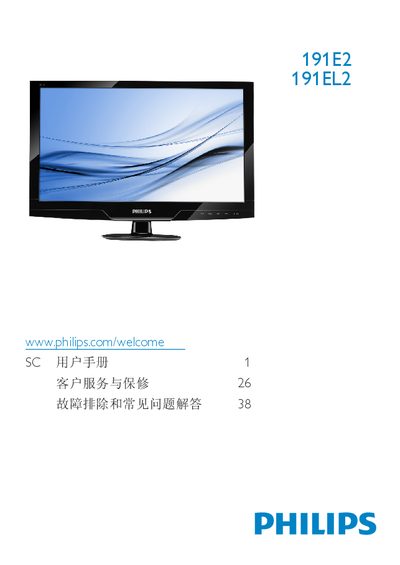
Philips 191E2/191EL2 Monitor User Manual
The guide covers safety measures, installation steps, and how to operate the Philips 191E2/191EL2 LCD monitor, including instructions for mounting, connecting cables, and using the on‑screen display menu. It also details product information such as SmartImage Lite, SmartContrast and SmartControl Lite features.
Technical specifications are listed, followed by warranty information, customer service contacts, and a comprehensive FAQ section that addresses common issues like video mode errors, recommended refresh rates, cleaning, and driver installation. This manual is written in Chinese.
Philips 191E2 specifications
| Panel size | 18.5" (47 cm) |
|---|---|
| Resolution (optimal) | 1366 x 768 @ 60 Hz |
| Brightness | 250 cd/m² |
| Contrast (typical) | 1000:1 |
| Response time (typical) | 5 ms |
| Viewing angle | 176° (H) / 170° (V) |
| Backlight type | CCFL (191E2) / LED (191EL2) |
| SmartContrast ratio | 500,000:1 (191E2) / 20,000,000:1 (191EL2) |
All Philips 191E2 documents by type
Day-to-day operation, settings and troubleshooting. Start here if the product is already set up.
- Philips 191E2/191EL2 Monitor User Manual 47 p
- Philips 191E2/191EL2 Monitor User Manual 47 p
- Philips 191E2 191EL2 LCD Monitor User Manual 46 p
- PHILIPS 191E2 191EL display user manual
- Philips 191E2/191EL2 Monitor User Manual 47 p
- Philips 191E2/191EL2 LCD Monitor User Manual 47 p
- Philips 191E2/191EL2 Monitor User Manual 46 p
Questions answered in these manuals
What should I do if the monitor shows “Cannot display this video mode”?
Set the PC resolution to the recommended 1366 × 768 @ 60 Hz and, if needed, adjust the refresh rate to 60 Hz (or 75 Hz to test). Then reconnect the monitor and power it on.
How should I clean the LCD screen?
Use a clean soft cloth for normal cleaning; for detailed cleaning use isopropyl alcohol and avoid solvents such as regular alcohol, ethanol, acetone, or other harsh chemicals.
What resolution should I set for optimal display?
Use the native resolution of 1366 × 768 @ 60 Hz for the best image quality.
How long should I wait after unplugging the monitor before reconnecting?
Wait about 6 seconds after disconnecting the power cable before plugging it back in.
Which AC/DC adapter models should be used?
Use only AC/DC adapter models ADPC1236/FSP036-DGAA1/LCAPO7F-2.
Is DVI-D available on all models?
No, the DVI-D input is available for selective models only.