
Key facts
- Brand
- Philips
- Model
- 191V2
- Documents
- 7
- Languages
- ZH · DE
- Last added
- 2011-10-02
Start here
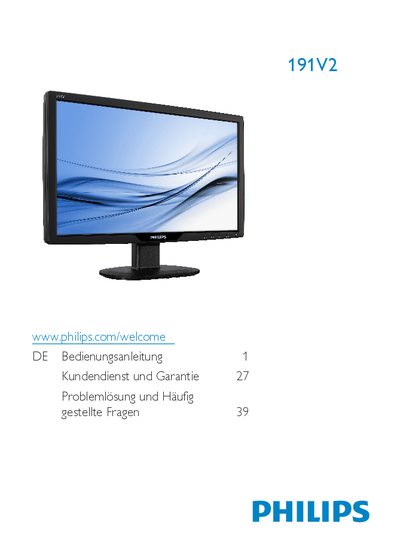
Philips 191V2 User Manual
This manual explains the safe handling, environmental limits, and maintenance of the Philips 191V2 LCD monitor. It covers warnings, cleaning, storage, and warranty conditions to help users avoid damage and ensure long service life.
The guide walks users through unpacking, connecting the monitor to a PC, adjusting picture settings via the On‑Screen Display (OSD), and answers common questions about compatibility, plug‑and‑play operation, and image‑burn‑in issues. This manual is written in German.
Philips 191V2 specifications
| Native resolution | 1366x768 @ 60 Hz |
|---|---|
| Operating temperature | 0‑40 °C (32‑95 °F) |
| Relative humidity | 20‑80 % RH |
| VESA mount pattern | 100 mm × 100 mm |
| Panel type | IPS |
Source: Philips 191V2 User Manual
All Philips 191V2 documents by type
Day-to-day operation, settings and troubleshooting. Start here if the product is already set up.
Questions answered in these manuals
How can I prevent image retention on the Philips 191V2 monitor?
Enable a moving screen‑saver or periodic refresh program when the monitor is left unattended, and avoid displaying static images for long periods.
What is the recommended operating temperature range?
The monitor should be used in an ambient temperature between 0 °C and 40 °C (32 °F‑95 °F).
Kann ich meinen LCD‑Monitor an jeden PC, Mac oder an Workstations anschließen?
Ja, sämtliche Philips‑LCD‑Monitore sind mit Standard‑PCs, Macs und Workstations vollständig kompatibel.
Funktionieren Philips‑LCD‑Monitore nach dem Plug‑and‑Play‑Prinzip?
Ja, die Monitore sind unter Windows 7, Vista, XP NT, Mac OSX und Linux Plug‑and‑Play‑kompatibel.
Can I connect the LCD monitor to any PC, Mac or workstation?
Yes, all Philips LCD monitors are fully compatible with standard PCs, Macs and workstations.
Do Philips LCD monitors work on a plug‑and‑play basis?
Yes, the monitors are plug‑and‑play compatible with Windows 7, Vista, XP, Mac OS X and Linux.