
Key facts
- Brand
- Philips
- Model
- CEM200
- Category
- Car Speakers
- Industry
- Automotive
- Documents
- 4
- Languages
- EN · ZH
- Last added
- 2012-03-27
Start here
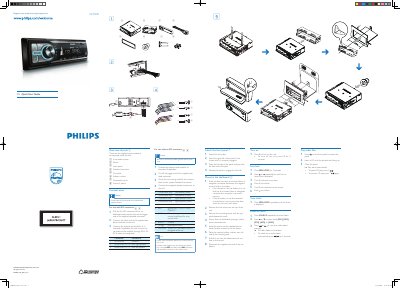
Philips CEM200 Quick Start Guide
This guide lists the supplied parts and shows how to connect the unit to a car’s audio system, including ISO connector options, wiring instructions, and mounting procedures. It also warns about safety steps such as insulating loose leads and disconnecting the battery when needed.
After installation, the guide explains basic functions such as turning the unit on and off, setting the clock, selecting radio bands, and playing CD audio, with simple button sequences for each operation.
Philips CEM200 specifications
| Maximum Output Power | 45 W x4 channels |
|---|---|
| RMS Output Power | 22 W x4 channels (4 Ω, 10% THD) |
| Power Supply Voltage | 12 V DC |
| Supported Audio Media | CD, CD‑R, CD‑RW, MP3‑CD, WMA, WMA‑CD |
| MP3 Bitrate Range | 32‑320 kbps |
| Equalizer Presets | 8 presets, 2‑band |
| Tuner Bands | AM, FM |
| Display Type | High‑contrast black‑white LCD (8 characters) |
All Philips CEM200 documents by type
Day-to-day operation, settings and troubleshooting. Start here if the product is already set up.
The shortest path to a working setup, usually only a few pages.
Questions answered in these manuals
How do I turn the unit on?
Press the Z button to turn the unit on.
How do I register my Philips CEM200 product?
Visit the Philips registration page at www.philips.com/welcome to register your product and get support.
What should I do if I need to change the fuse?
Consult a professional before changing the fuse, as improper fuses can cause damage or fire.
How do I turn the Philips CEM200 on and off?
Press the power button to turn on the device. To turn it off, press and hold the button for 3 seconds.
How do I set the clock on the Philips CEM200?
Press MENU/DISP for 3 seconds, choose the current time, rotate to set the hours and minutes, and confirm each setting.
How many power amplifier channels does the CEM200 have and what is their maximum output?
The CEM200 has four amplifier channels, each capable of a maximum output of 45 W.