
Key facts
- Brand
- Philips
- Model
- CEM5000
- Category
- Car Speakers
- Industry
- Automotive
- Documents
- 4
- Languages
- EN · ZH
- Last added
- 2012-03-27
Start here
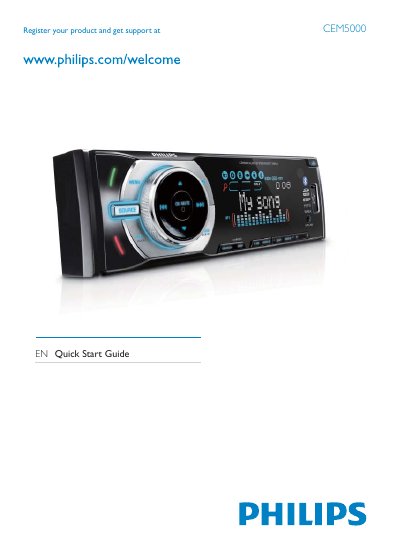
Philips CEM5000 Quick Start Guide
This guide walks you through registering the product, unpacking the supplied parts, and installing the CEM5000 unit in a vehicle dashboard. Detailed wiring instructions cover ISO connectors, standard connectors, and color‑coded wires for power, ground, and speaker connections.
After installation, the guide explains how to power the unit, set the clock, tune radio stations, enable RDS, pair Bluetooth devices, and make or receive phone calls, with step‑by‑step button sequences for each function.
Philips CEM5000 specifications
| Display | High‑contrast black LCD |
|---|---|
| Max Output Power | 50 W x 4 channels (MOSFET) |
| USB Interface | USB 2.0 Host |
| SD Card Type | SD, SDHC |
| MP3 Bitrate | 32‑320 kbps |
| FM Presets | 18 stations |
| RDS | Station name, program info, traffic, news |
| Dimensions (W×H×D) | 188 × 58 × 190 mm |
| Power Supply Voltage | 12 V |
All Philips CEM5000 documents by type
Day-to-day operation, settings and troubleshooting. Start here if the product is already set up.
The shortest path to a working setup, usually only a few pages.
Questions answered in these manuals
How do I pair a Bluetooth device with the CEM5000?
Use the "Pairing bluetooth devices" procedure described in the manual to connect your phone or other Bluetooth source.
What should I do if the disc cannot be read?
Check that the disc label side is facing up, clean the disc, and ensure it is a compatible CD/MP3 format; the manual lists error codes such as ERR‑1 for unreadable media.
Does the CEM5000 support Bluetooth streaming?
Yes, it has built‑in Bluetooth with A2DP, AVRCP and hands‑free profiles for wireless audio playback.
What is the maximum output power of the system?
The system can deliver up to 50 W per channel across four channels.