
Key facts
- Brand
- Philips
- Model
- CEM2000
- Category
- Car Speakers
- Industry
- Automotive
- Documents
- 6
- Languages
- ZH · EN
- Last added
- 2012-03-27
Start here
CEM2000 Car Audio System Quick Start Guide
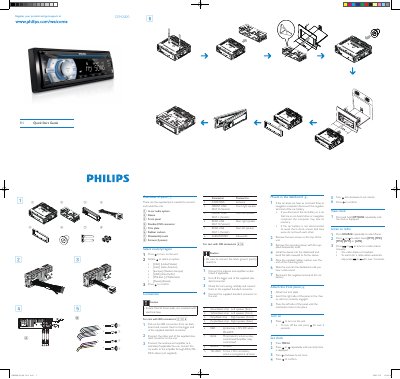
The guide lists all supplied parts needed to connect and install the CEM2000 unit, including the in‑car audio system, ISO connector, antenna, and mounting hardware. It also provides safety cautions for wiring and grounding.
Installation steps describe removing the dashboard screws, mounting the sleeve, attaching the front panel, and connecting the power and audio leads. Basic operation instructions cover turning the unit on, setting the clock, and tuning the radio. This manual is written in Chinese.
Philips CEM2000 specifications
| Power supply | 12 V DC (11‑16 V), negative ground |
|---|---|
| Fuse rating | 15 A |
| Speaker impedance | 4‑8 Ω |
| Maximum power output | 45 W x 4 channels |
| Continuous power output | 22 W x 4 RMS |
| Dimensions (W×H×D) | 188 mm × 58 mm × 201 mm |
| Weight | 1.47 kg |
| FM frequency range | 87.5‑108.0 MHz |
| AM frequency range | 522‑1620 kHz |
| Usable sensitivity (FM) | 8 µV |
All Philips CEM2000 documents by type
Day-to-day operation, settings and troubleshooting. Start here if the product is already set up.
The shortest path to a working setup, usually only a few pages.
Questions answered in these manuals
How do I turn the CEM2000 unit on?
Press the power button to turn the unit on; press and hold for over 3 seconds to turn it off.
How can I set the clock on the CEM2000?
Press MENU, then press or repeatedly until the time is displayed, turn clockwise to set hour, confirm, then turn anti‑clockwise to set minute and confirm.
How do I replace a blown fuse?
First check the electric connection, then buy a fuse that matches the voltage, and replace the fuse as described in the manual.
What should I do if the CD skips tracks?
Make sure the CD is clean and not damaged, deactivate random mode, and verify the disc is a finalized CD/ CD‑R/ CD‑RW.
How do I turn on the Philips CEM2000 unit?
Press the @ button to turn the unit on; hold the button for over 3 seconds to turn it off.
How can I set the clock on the CEM2000?
Press MENU, then use the & or W button to display the current time, rotate the @ knob to set hour and minute, and confirm with @.