
Key facts
- Brand
- Philips
- Model
- CEM3000
- Category
- Car Speakers
- Industry
- Automotive
- Documents
- 3
- Languages
- EN · ZH
- Last added
- 2012-03-27
Start here
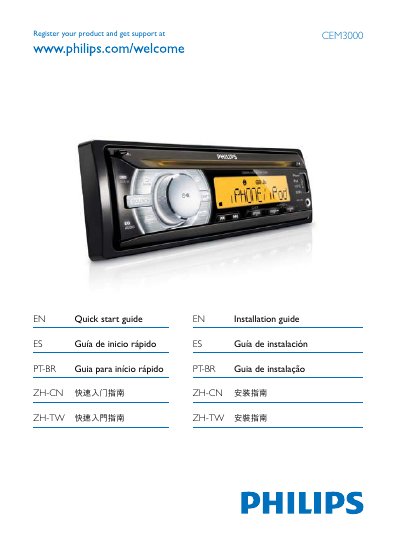
Philips CEM3000 Quick Start Guide
The CEM3000 Quick Start Guide introduces the device and explains how to register the product to obtain support. The first page states, "Register your product and get support at CEM3000 EN Quick start guide".
The guide also details the connector layout, including front and rear line outputs, antenna connections, and power requirements. It lists connectors such as "RCA-TO-RCA" and specifies a supply voltage of "+12V" for operation.
Philips CEM3000 specifications
| Power supply | 12 V DC (11 V – 16 V) |
|---|---|
| RMS power per channel | 24 W × 4 (10% THD) |
| Aux‑in voltage | 2.5 V |
| FM band | 87.5 – 108.0 MHz |
| AM band | 522 – 1620 kHz |
| USB interface | USB 1.1 Host |
Source: Philips CEM3000 User Manual
All Philips CEM3000 documents by type
Day-to-day operation, settings and troubleshooting. Start here if the product is already set up.
The shortest path to a working setup, usually only a few pages.
Questions answered in these manuals
How can I register my CEM3000?
You can register the product and get support by following the instructions on the Quick Start Guide.
What type of connector is used for audio output?
The audio output uses an RCA‑to‑RCA connector.
How can I play music from my iPhone or iPod?
Connect the iPhone/iPod to the system; it will play music and charge the device.
What is the maximum audio output power of the system?
The system can deliver up to 50 W per channel across four channels.