
Key facts
- Brand
- Agilent
- Model
- 6850 GC
- Documents
- 10
- Languages
- EN · JA
- Last added
- 2012-07-03
Start here
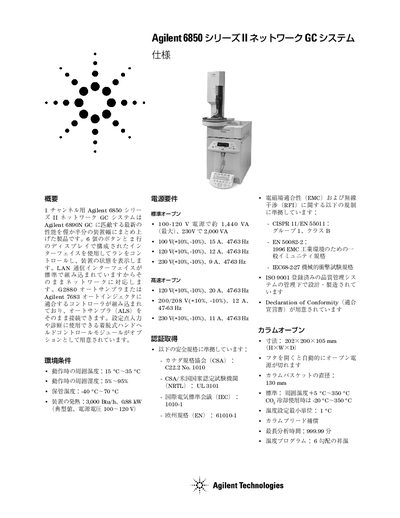
Agilent 6850 GC System User Manual
The Agilent 6850 series GC system combines the performance of the Agilent 6890N GC with a compact design. It features a 6‑button, 2‑line display interface, LAN communication, and optional detachable band‑controlled modules for setup and diagnostics.
The manual covers environmental limits, power requirements, safety certifications, column oven dimensions, injection options, detector types, and optional valve configurations, as well as maintenance procedures and handheld controller options. This manual is written in Japanese.
Agilent 6850 GC specifications
| Operating temperature range | 15 °C–35 °C |
|---|---|
| Power consumption | 3.000 Btu/h, 0.88 kW |
| Standard oven voltage | 100‑120 V, approx 1.440 VA max |
| Column oven dimensions | 202 × 200 × 105 mm |
| System weight | 29 kg |
All Agilent 6850 GC documents by type
How to use the product for one specific task, with worked examples.
Mounting, wiring and first power-up. Read it before the hardware goes in.
- Agilent G2651A Purged Packed Inlet Installation Guide for 6850 GC 8 p
- Agilent 6850 Series II Network GC System Installing a PTV Inlet 20 p
- Agilent G2623A Thermal Conductivity Detector Installation Guide for Agilent 6850 GC 28 p
- Agilent 6850 GC Microcell Electron Capture Detector Installation Guide 30 p
- Agilent 6850 GC Purged Packed (PP) Inlet Installation Guide 14 p
Day-to-day operation, settings and troubleshooting. Start here if the product is already set up.
Questions answered in these manuals
Which GC systems support Retention Time Locking?
The software works with any Agilent 6890 Series or 6850 gas chromatograph (GC) system equipped with electronic pneumatics control.
What is the recommended carrier gas linear velocity for USP 467?
The USP 467 protocol suggests that carrier gas linear velocity should be about 35 cm/s.
What tools are required to install the purged packed inlet?
You need a Torx T-10 driver, a Torx T-20 driver, and open end wrenches.
From: Agilent G2651A Purged Packed Inlet Installation Guide for 6850 GC
How many screws secure the flow module to the lid?
Three screws hold the connector cover plate next to the inlet flow module in place.
From: Agilent G2651A Purged Packed Inlet Installation Guide for 6850 GC
What are the part numbers for the septumless and septum PTV inlet kits?
The septumless kit is G3345B and the septum kit is G3346B.
From: Agilent 6850 Series II Network GC System Installing a PTV Inlet
What tools are required to install a PTV inlet?
A TT-20 Torx® screwdriver and a 7/16-inch open end wrench are required.
From: Agilent 6850 Series II Network GC System Installing a PTV Inlet