
Key facts
- Brand
- Agilent
- Model
- 5973 Series
- Documents
- 3
- Languages
- EN
- Last added
- 2012-06-12
Start here
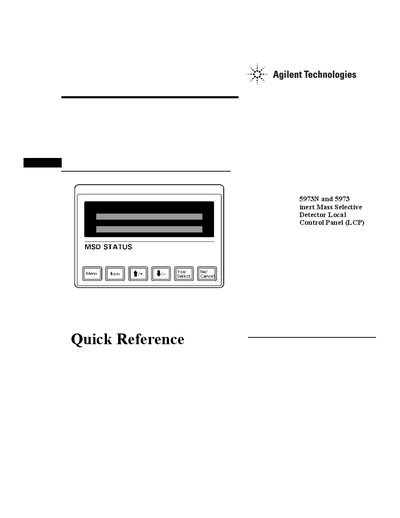
Agilent 5973 Series MSD Local Control Panel Quick Reference Guide
This document provides instructions for using the Local Control Panel (LCP) on Agilent 5973N and 5973 inert Mass Selective Detectors. The LCP allows users to determine instrument readiness, access ChemStation software functions like tuning and starting runs, and manage system status without needing a direct connection to the main computer.
The guide details two modes of operation: Status mode for viewing current information and Menu mode for initiating actions such as running methods or sequences. It covers specific procedures for querying messages, performing autotunes, starting runs and sequences, preparing to vent the instrument, pumping down the system, rebooting the controller, and checking network status.
All Agilent 5973 Series documents by type
How to use the product for one specific task, with worked examples.
The shortest path to a working setup, usually only a few pages.
Mounting, wiring and first power-up. Read it before the hardware goes in.
Questions answered in these manuals
What is the maximum injection volume limit for the 6890 Series ALS when used with the PTV inlet?
The typical injection volume limit for this system is 250 uL.
From: Agilent Trace Level Pesticide Analysis by GC/MS Using Large-Volume Injection Application Note
How many sequential injections were made to achieve a total volume of 100 uL in the described analysis?
Ten sequential injections of 10 uL each were made to achieve the total volume.
From: Agilent Trace Level Pesticide Analysis by GC/MS Using Large-Volume Injection Application Note
What are the two modes of operation for the Local Control Panel?
The LCP has two modes: Status mode, which displays current status without interaction, and Menu mode, which allows querying aspects of the instrument or initiating actions.
From: Agilent 5973 Series MSD Local Control Panel Quick Reference Guide
Can MS parameters be set from the Local Control Panel while an online session is running?
No, MS parameters cannot be set from the LCP if an online session is currently running on the ChemStation.
From: Agilent 5973 Series MSD Local Control Panel Quick Reference Guide
How do I identify the specific type of 5973 MSD I have?
Each instrument is identified by a unique serial number located on a label on the lower left side near the front of the instrument.
From: Agilent 5973 Series Mass Selective Detector Site Preparation Guide
What safety precautions are required when handling MSD covers?
Never remove a cover unless the detector, inlet, or oven are turned off to avoid contact with dangerous voltages.
From: Agilent 5973 Series Mass Selective Detector Site Preparation Guide