
Agilent G2651A Purged Packed Inlet Installation Guide for 6850 GC

This manual describes how to install the Agilent 6850 Gas Chromatograph Purged Packed Inlet (G2651A).
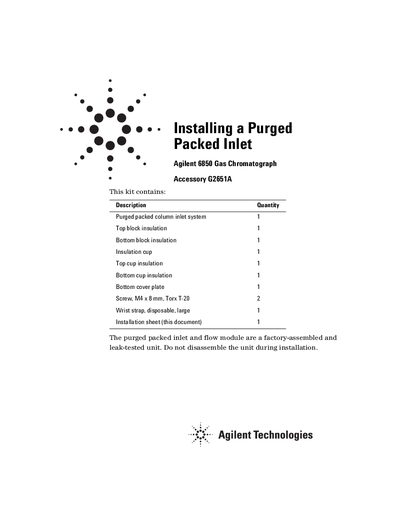

Agilent G2651A Purged Packed Inlet Installation Guide for 6850 GC - cover page
Brand
Agilent
Document type
Installation Guide
Language
English
Pages
8
File format
PDF
File size
922 KB
Published
08 June, 2012
Updated
30 September, 2023
Model
6850 GC
MD5 checksum
223C47BB2EAA037646705A7D0FE02487

About this manual

The document details the installation of the Agilent G2651A Purged Packed Inlet system onto an Agilent 6850 Gas Chromatograph. It includes a list of components included in the kit and specifies the necessary tools, such as Torx drivers and open-end wrenches.

What's inside

  • Description
  • Tools Required
  • Safety Information
  • Removing the Existing Inlet
  • Installing the Purged Packed Inlet
  • Finishing Up

Frequently asked questions

What tools are required to install the purged packed inlet?

You need a Torx T-10 driver, a Torx T-20 driver, and open end wrenches.

How many screws secure the flow module to the lid?

Three screws hold the connector cover plate next to the inlet flow module in place.

What must be done before installing the purged packed inlet system?

You must turn off the oven and heated zones, shut off all gases at their source, and unplug the power cord.

Download PDF (922 KB)

More Agilent Manuals


View all Agilent manuals →