
Key facts
- Brand
- Philips
- Model
- MCL707
- Category
- Hi-Fi
- Industry
- Appliances
- Documents
- 7
- Languages
- ZH · ES · EN
- Last added
- 2012-03-27
Start here
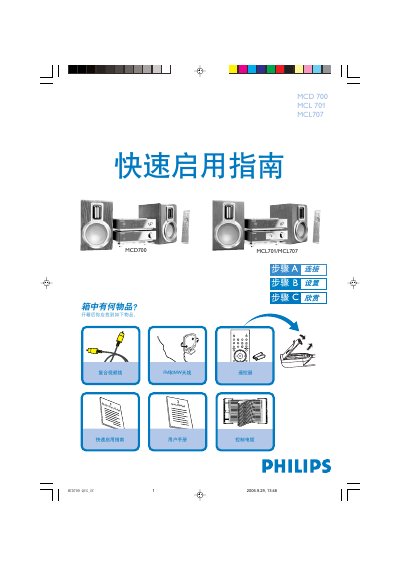
Philips MCD700 / MCL701 / MCL707 Quick Start Guide
This guide walks you through the initial setup of the Philips MCD700, MCL701 and MCL707 DVD player/amplifier system. It shows what items are included, how to connect the power cord, speakers, FM and MW antennas, the control cable, and the video cable to a TV.
After the hardware is connected, the guide explains how to power on the unit, select the DISC source, configure TV input, choose system settings such as TV format, language, subtitles and audio, and finally load a disc and start playback. It also provides a tip for disabling progressive‑scan mode if the TV does not support it. This manual is written in Chinese.
Philips MCL707 specifications
| Speaker Impedance | 8 Ω |
|---|---|
| Supported Disc Types | DVD, Video CD, Audio CD, MP3‑CD, WMV, DVD+RW, Super VCD |
| Power Input | AC power cord |
All Philips MCL707 documents by type
Day-to-day operation, settings and troubleshooting. Start here if the product is already set up.
The shortest path to a working setup, usually only a few pages.
Questions answered in these manuals
How do I connect the speakers?
Use two speaker wires, connect the red wire to the + terminal and the silver wire to the – terminal; the right speaker goes to the “R” terminal and the left speaker to the “L” terminal.
How do I set up the TV for playback?
Turn on the DVD player, select the DISC source, turn on the TV, and set the TV to the correct video input channel until the Philips DVD background appears on the screen.
What ventilation clearance is required around the unit?
Leave at least 10 cm (4 inches) of space behind, above, and on each side of the unit for proper ventilation.
How do I change the voltage selector for 110 V operation?
The voltage selector is preset to 220 V; set it to 110 V‑127 V before turning the power on if your region uses that voltage.
How do I set the voltage selector for 110 V operation?
Adjust the voltage selector located at the bottom of the system from the factory preset of 220‑240 V to 110‑127 V before turning the unit on.
What speaker impedance should I use with this system?
Connect speakers with an impedance of 8 Ω; using lower‑impedance speakers may damage the system.