
Key facts
- Brand
- Philips
- Model
- MCD716
- Category
- Hi-Fi
- Industry
- Appliances
- Documents
- 7
- Languages
- EN · ZH
- Last added
- 2012-03-27
Start here
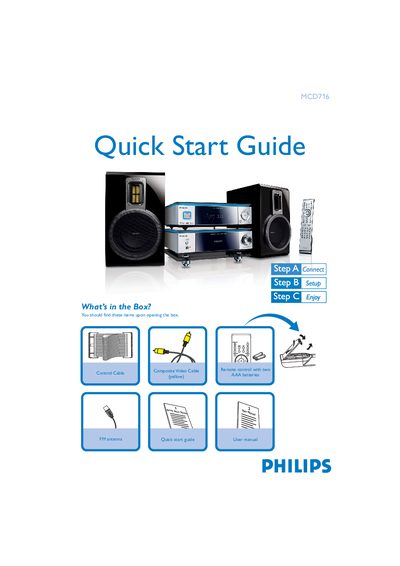
Philips MCD716 Quick Start Guide
This Quick Start Guide introduces the Philips MCD716 Hi‑Fi system. It lists the items that should be found in the box, such as the composite video cable, control cable, and FM antenna, and explains how to connect the speaker cables, control cable, FM antenna, and composite video cable to a TV.
The guide also covers basic setup steps like selecting the disc source, setting the clock, configuring progressive scan mode, and using USB mass‑storage devices or flash memory for playback. Tips for remote control operation and radio tuning are included.
Philips MCD716 specifications
| Remote control battery type | Two AAA batteries |
|---|---|
| USB support | USB 2.0 and USB 1.1 flash memory devices |
| Included video cable | Composite video cable |
Source: Philips MCD716 Quick Start Guide
All Philips MCD716 documents by type
Day-to-day operation, settings and troubleshooting. Start here if the product is already set up.
The shortest path to a working setup, usually only a few pages.
Questions answered in these manuals
How do I connect the speakers?
Connect the right speaker to the “R” terminal and the left speaker to the “L” terminal, with the coloured wire to “+” and the black wire to “–”.
How do I adjust the voltage selector for 110 V regions?
The voltage selector is preset at 220‑240 V; adjust it to 110‑127 V before switching the system on.
What items are included in the box?
The box contains a composite video cable, a yellow control cable, and an FM antenna.
How do I connect the system to a TV?
Connect the composite video cable to the TV, then connect the power cords of both the system and the TV.
How can I register my Philips MCD716?
Visit www.philips.com/welcome and follow the registration steps for your product.
How should the front speakers be positioned?
Place the front speakers about 45° from the listening position and keep them away from the TV to avoid magnetic interference.