
Key facts
- Brand
- Philips
- Model
- PET1031
- Category
- Player
- Industry
- Appliances
- Documents
- 4
- Languages
- EN · ZH
- Last added
- 2012-03-27
Start here
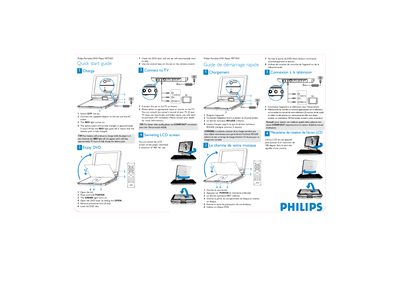
Philips PET1031 Quick Start Guide
This guide shows how to charge the battery pack, power on the player, load a DVD and start playback. It also explains how to connect the player to a television and how to use the remote control.
The LCD screen can be swivel‑rotated up to 180° for better viewing angles, and the guide provides tips for optimal video quality using the COMPOUT connection or an RF modulator when needed.
Philips PET1031 specifications
| Dimensions | 27 x 19 x 3.8 cm (10.6 x 7.5 x 1.5 inches) |
|---|---|
| Weight | 1.5 kg / 3.3 lb |
| Power supply | DC 9‑12V 2.2A |
| Power consumption | ≤20W |
| Operating temperature range | 0 °C – 50 °C (32 °F – 122 °F) |
| Laser wavelength | 650 nm |
| Video system | NTSC / PAL / AUTO |
All Philips PET1031 documents by type
Day-to-day operation, settings and troubleshooting. Start here if the product is already set up.
The shortest path to a working setup, usually only a few pages.
Questions answered in these manuals
How long does it take to fully charge the battery?
The battery pack is fully charged after about 5 hours; the red light turns off when charging is complete.
How do I charge the Philips PET1031 portable DVD player?
Connect the AC power adaptor to the DC 9‑12 V socket or use the 12 V car adaptor; the manual’s “Charging the units” section explains both methods.
Can the LCD screen be rotated?
Yes, the liquid crystal screen can be rotated to a maximum angle of 180 degrees for use.
What happens after you close the DVD compartment?
The unit will automatically start playing.
How do I charge the Philips PET1031 portable DVD player?
Connect the supplied DC 9‑12 V 2.2 A power adapter to the DC IN jack on the player and plug it into a power source.
What disc formats are supported by the PET1031?
The player supports DVD video, VCD, audio CD/MP3/WMA, JPEG image discs, DivX video discs, as well as CD, CDR, CDRW, DVD±R and DVD±RW.