
Key facts
- Brand
- Philips
- Model
- PET816
- Category
- Player
- Industry
- Appliances
- Documents
- 2
- Languages
- EN · ZH
- Last added
- 2011-11-03
Start here
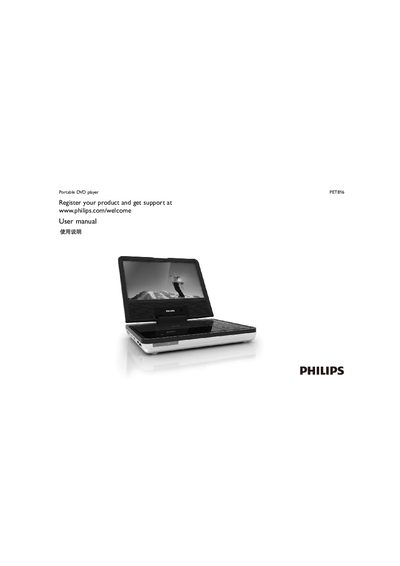
Philips PET816 Portable DVD Player User Manual
The Philips PET816 is a portable DVD player that plays DVD‑Video, VCD, audio CDs, MP3‑CDs and DivX discs. It features a built‑in rechargeable battery, a TFT screen, headphone jack, AV‑out, and a remote control with dedicated buttons for subtitles, angle selection and parental lock.
This user manual explains how to register the product, connect the AC or car transformer, install the CR2025 battery in the remote, use the on‑screen menus, adjust video and audio settings, and resolve common problems such as no power, distorted picture or no sound.
Philips PET816 specifications
| Dimensions | 210 x 178 x 39 mm |
|---|---|
| Weight | 0.79 kg |
| Power input | 100‑240 V 50/60 Hz 0.3 A |
| Power output (charging) | DC 9 V 1 A |
| Power consumption | 9 W |
| Operating temperature range | 0 °C – 45 °C |
| Video system | PAL |
| Audio output (analog) | 2 V ± 10 % into 10 kΩ load |
All Philips PET816 documents by type
Day-to-day operation, settings and troubleshooting. Start here if the product is already set up.
Questions answered in these manuals
How do I charge the built‑in battery?
Connect the DVD player to the supplied AC power transformer while the player is turned off; the charging indicator will light up.
What should I check if the player has no power?
Make sure the main AC power cable is securely plugged in, try a different outlet, verify the battery is not depleted, and confirm the car transformer is correctly connected.
Which video formats can the PET816 play?
It supports DVD, Picture CD, SVCD, Video CD, DVD‑R/RW, DVD+R/RW, DivX and MPEG‑4.
Does the player have a headphone jack?
Yes, it includes a 3.5 mm stereo headphone jack.