
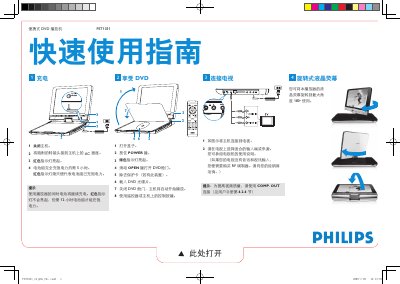
This quick start guide for the Philips PET1031 portable DVD player explains how to charge the battery, turn on the unit, load a DVD disc, and start playback using the remote control or buttons on the unit.
It also shows how to connect the player to a television and select the correct TV input, and notes that the LCD screen can be rotated to a maximum angle of 180 degrees. This manual is written in Chinese.
| Battery full charge time | About 5 hours |
|---|---|
| Charge time while in use | About 12 hours |
| LCD screen rotation | Up to 180 degrees |
| DC power input | 9V-12V |
Yes, the liquid crystal screen can be rotated to a maximum angle of 180 degrees for use.
The unit will automatically start playing.
The player requires 9V-12V power.
You need to purchase an RF modulator and consult your dealer.