
Key facts
- Brand
- Philips
- Model
- PET830
- Category
- Player
- Industry
- Appliances
- Documents
- 6
- Languages
- EN · ZH
- Last added
- 2012-03-27
Start here
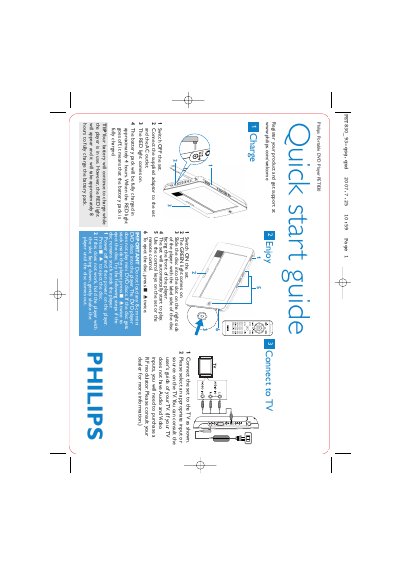
Philips PET830 Portable DVD Player Quick Start Guide
This guide provides the essential steps to get the Philips PET830 portable DVD player up and running. It explains how to charge the battery, insert and play standard DVDs, and use the built‑in controls or remote.
Additional sections show how to connect the player to a television, important safety notes, and troubleshooting tips for disc‑ejection problems. The guide is designed for first‑time users who need fast, clear instructions.
Philips PET830 specifications
| Battery full charge time (stand‑alone) | approximately 4 hours |
|---|---|
| Battery full charge time (while in use) | approximately 8 hours |
| Supported disc size | standard DVDs only (no 8‑cm mini DVDs) |
Source: Philips PET830 Portable DVD Player Quick Start Guide
All Philips PET830 documents by type
Day-to-day operation, settings and troubleshooting. Start here if the product is already set up.
The shortest path to a working setup, usually only a few pages.
Questions answered in these manuals
How long does it take to fully charge the battery?
It takes about 4 hours for a full charge, or about 8 hours if the player is in use while charging.
Can the PET830 play 8‑cm mini DVD discs?
No, the player does not support 8‑cm mini DVD discs.
How long does it take to fully charge the PET830 when not in use?
It takes about 4 hours to fully charge the unit when it is not in use.
What battery does the remote control require?
The remote control uses one 3 V lithium CR2025 battery.
What battery does the remote control use?
The remote uses one 3 V lithium CR2025 battery.
How can I connect the player to a TV?
Connect the AV OUT or coaxial digital audio output to the TV, or use the TV connection function described in the manual.