
Key facts
- Brand
- Philips
- Model
- FW-D750
- Documents
- 2
- Languages
- EN
- Last added
- 2011-11-10
Start here
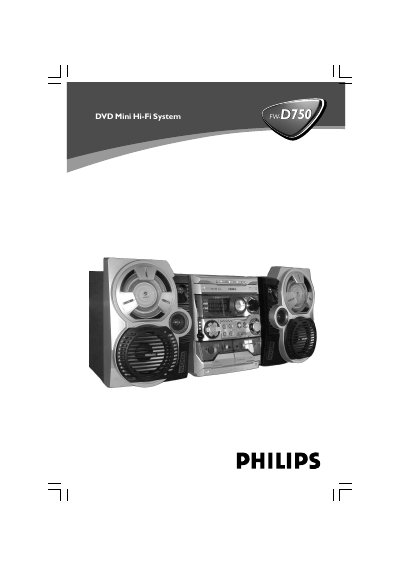
Philips FW-D750 DVD Mini Hi-Fi System User Manual
This instruction booklet covers the Philips DVD Mini Hi-Fi System with a 2-channel full digital amplifier and built-in DTS and Dolby Digital decoder. It explains setup and connections for speakers, a TV set, FM/MW antennas, a VCR or cable/satellite box, and digital audio equipment.
The manual also covers disc, MP3/picture, tuner, and tape operations, clock and timer settings, sound and volume controls, karaoke functions, specifications, troubleshooting, and a glossary.
Philips FW-D750 specifications
| Amplifier | 2-channel full digital amplifier |
|---|---|
| Built-in decoders | DTS and Dolby Digital |
| Progressive scan vertical resolution | 525 lines |
| MP3 sampling frequencies | 32 kHz, 44.1 kHz, 48 kHz |
| MP3 bit rates | 32, 64, 96, 128, 192, 256 kbps |
| DVD region compatibility | ALL regions or Region 3 |
All Philips FW-D750 documents by type
Day-to-day operation, settings and troubleshooting. Start here if the product is already set up.
Questions answered in these manuals
What discs can the Philips FW-D750 play?
It plays DVDs, VCDs, SVCDs, DVD+RW, CDs, picture (Kodak, JPEG) files on CDR(W), and supported MP3-CDs.
Which DVD region codes does the system support?
It plays DVDs labeled for ALL regions or Region 3.
How do I connect the front speakers?
Connect the speaker wires to the SPEAKERS (FRONT) terminals, L to the “L” terminal and R to the “R” terminal, using the colored wires for + and the black wires for –.
What disc formats can the FW‑D750 play?
It can play DVD, VCD, SVCD, DVD+RW, CD, recordable CDR(W) discs with JPEG images, and MP3‑CDs in the supported formats.