
Key facts
- Brand
- Philips
- Model
- FWD39
- Documents
- 2
- Languages
- ES · ZH
- Last added
- 2012-03-06
Start here
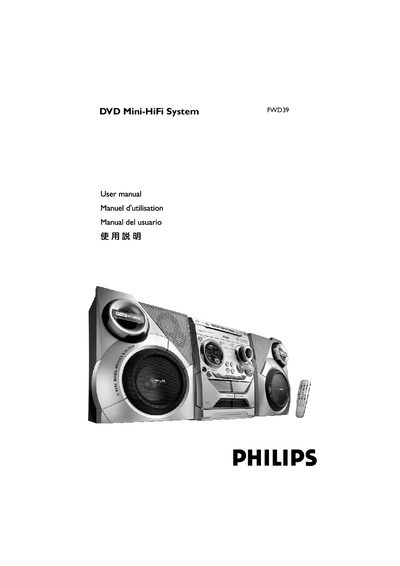
Philips FWD39 DVD Mini-HiFi System User Manual
This manual provides step‑by‑step instructions for installing and using the Philips FWD39 DVD Mini‑HiFi System, including speaker wiring, TV and audio connections, remote control setup, and parental‑control configuration. Safety warnings, maintenance tips, and environmental disposal information are also covered.
Technical specifications, supported disc formats, radio tuning ranges, and detailed troubleshooting procedures are listed in the later sections, helping users resolve common issues and understand the system’s performance capabilities. This manual is written in Spanish.
Philips FWD39 specifications
| Output Power (PMPO) | 1500 W |
|---|---|
| Stereo Mode Power | 50 W + 50 W |
| Frequency Response | 180 Hz – 14 kHz ±3 dB |
| Signal‑to‑Noise Ratio | > 62 dB (A‑weighted) |
| Input Sensitivity (AUX/TV In) | 500 mV |
| Power Supply | 110‑127 V / 220‑240 V, 50‑60 Hz |
| Dimensions (W×H×D) | 265 mm × 310 mm × 367 mm |
| Weight | 5.45 kg |
All Philips FWD39 documents by type
Day-to-day operation, settings and troubleshooting. Start here if the product is already set up.
Questions answered in these manuals
How do I connect the front speakers?
Connect the speaker wires to the SPEAKERS (FRONT) terminals, right speaker to the “R” terminal and left speaker to the “L” terminal, using the color‑coded + and – contacts.
How should I clean a dirty disc?
Use a soft, lint‑free cloth moistened with a mild cleaner, wipe from the center outward without circular motions, and avoid alcohol, ammonia or abrasive cleaners.
How do I start playback on the Philips DVD player?
Press PLAY on the main unit to begin auto‑install, then insert a disc and the player will start automatically.
Which video connection gives the best picture quality?
Use an S‑Video or Component (Pr Pb Y) video connector for higher image quality.