
Key facts
- Brand
- Philips
- Model
- FWD397
- Category
- Other Electronics
- Industry
- Electronics
- Documents
- 5
- Languages
- EN · JA · ZH
- Last added
- 2012-03-27
Start here
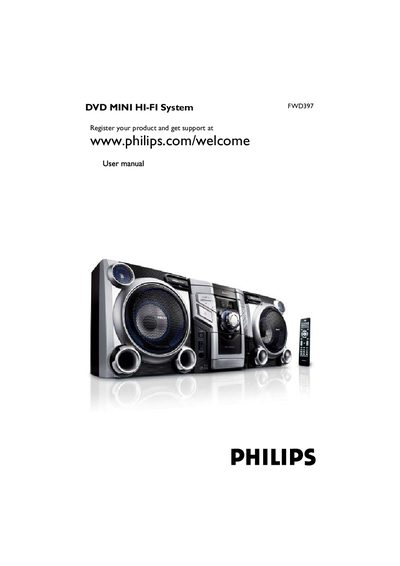
Philips FWD397 DVD Mini Hi-Fi System User Manual
This manual covers the features of the Philips FWD397 DVD Mini Hi‑Fi System, including its 2.0‑channel full digital amplifier, progressive‑scan video, and parental‑control functions. It explains how to connect speakers, TV sets, antennas, and accessories such as the remote control and USB device.
Detailed operating instructions are provided for disc playback, menu navigation, audio and video settings, tuner use, tape recording, clock/timer functions, and USB music playback. The guide also includes safety information, recycling instructions, specifications, and a troubleshooting section.
Philips FWD397 specifications
| Output Power (PMPO) | 3200 W |
|---|---|
| Output Power (RMS) | 240 W |
| Input Voltage | 100‑240 VAC 50/60 Hz |
| Weight | 13.9 kg |
| Dimensions (W×H×D) | 273 mm × 310 mm × 207 mm |
| Number of DVD Drives | 3 |
| Audio System | Dolby |
| Dynamic Bass Boost | Enabled |
| Supported Media Formats | DVD, DivX, DVD+R, DVD+RW, SVCD, VCD, Picture CD, MP3‑CD, etc. |
All Philips FWD397 documents by type
Day-to-day operation, settings and troubleshooting. Start here if the product is already set up.
Questions answered in these manuals
How do I start DVD playback?
Press DISC1/2/3 on the remote or select the disc on the front panel, then press PLAY.
Which DVD region codes are supported?
The system plays discs labeled for all regions or Region 3.
How do I insert batteries into the remote control?
Open the remote control compartment and insert two AAA batteries as shown in the manual.
How many DVD drives does the Philips FWD397 have?
The FWD397 is equipped with three DVD drives.
What is the maximum output power of the FWD397?
The system can deliver up to 3200 W PMPO output power.
How many DVD drives does the Philips FWD397 have?
The FWD397 is equipped with three DVD drives.