
Key facts
- Brand
- Philips
- Model
- DC910
- Category
- Hi-Fi
- Industry
- Appliances
- Documents
- 5
- Languages
- EN · ZH
- Last added
- 2012-03-27
Start here
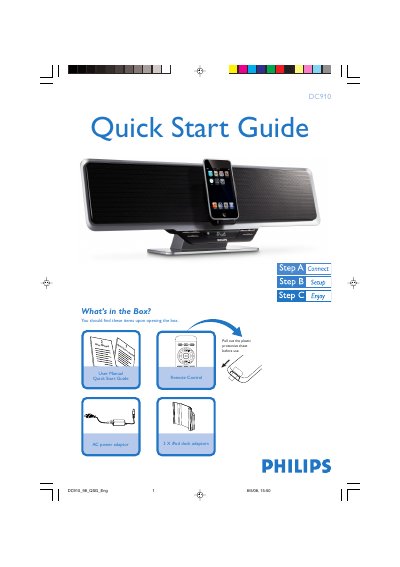
Philips DC910 Audio System Quick Start Guide
This Quick Start Guide provides an overview of the Philips DC910 audio system, listing the items included in the package and giving step‑by‑step instructions for initial setup. It shows how to connect the supplied AC power adaptor, remove the protective sheet, and prepare the system for use.
The guide also explains core functions such as setting the clock, playing audio from USB flash drives or SD/MMC cards, programming FM radio stations, and using the iPod dock adaptor. Tips for remote‑control operation and additional playback features are included.
Philips DC910 specifications
| Power adaptor | AC only |
|---|---|
| USB support | USB 2.0 and USB 1.1 |
| SD/MMC support | SD/MMC cards |
All Philips DC910 documents by type
Day-to-day operation, settings and troubleshooting. Start here if the product is already set up.
The shortest path to a working setup, usually only a few pages.
Questions answered in these manuals
How do I program FM radio stations?
Press SOURCE repeatedly to select the FM tuner, then hold the PROG button on the remote for more than two seconds to automatically program all available stations.
How do I replace the remote‑control battery?
Remove the insulation plastic tab, open the battery tray, insert a new CR2025 battery with the correct polarity, and close the tray.
From: Philips DC910 Docking Entertainment System User Manual
How can I improve poor radio reception?
Adjust the FM antenna for optimal stereo reception or increase the distance between the system and nearby electronic devices.
From: Philips DC910 Docking Entertainment System User Manual
How do I set the clock on the DC910?
Press and hold the PROG/SET TIME key on the remote, then use the VOLUME +/- keys to adjust hours and minutes, confirming each step with the PROG/SET TIME key.
How can I program FM radio stations?
Hold the PROG key on the remote for more than 2 seconds, then use the PRESET +/- keys to select and store each FM station.
What is the total output power?
The system provides 30W RMS total output power.