
Key facts
- Brand
- Philips
- Model
- BTM630
- Documents
- 3
- Languages
- NL · DE · EN
- Last added
- 2011-10-04
Start here
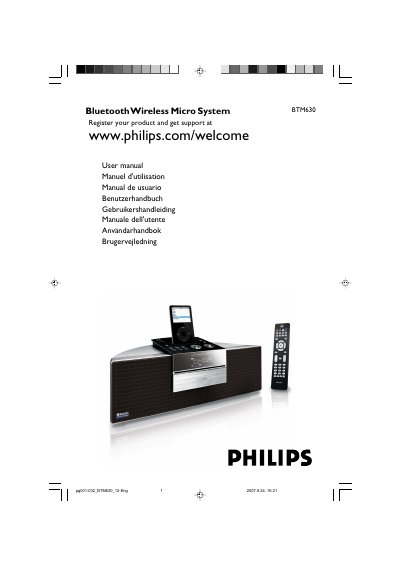
Philips BTM630 Bluetooth Wireless Micro System User Manual
This is the user manual for the Philips BTM630 Bluetooth Wireless Micro System. It begins with general information, environmental notes, supplied accessories and safety instructions, then describes rear connections, power adaptor use, antennas and remote control preparation.
The manual's contents also cover system and remote controls, basic functions, CD/MP3-CD/WMA playback, radio tuning and RDS, external devices with USB mass storage or SD/MMC cards, ripping, iPod dock use, Bluetooth pairing and calls/music, clock and timer settings, technical data, maintenance and troubleshooting. This manual is written in Dutch.
Philips BTM630 specifications
| Power input | 100 - 240 V ~ 50/60 Hz, 1.2 A |
|---|---|
| Power output | 15 V 3 A |
| AC power adaptor | GFT TECHNOLOGY CO., LTD., model GFP451-1530BX-1 |
Source: Philips BTM630 Bluetooth Wireless Micro System User Manual
All Philips BTM630 documents by type
Day-to-day operation, settings and troubleshooting. Start here if the product is already set up.
Questions answered in these manuals
What power adaptor should I use with the BTM630?
Use only the supplied AC power adaptor.
From: Philips BTM630 Bluetooth Wireless Micro System User Manual
How much space should I leave behind and above the system?
Leave at least 10 cm of space behind and above the system.
From: Philips BTM630 Bluetooth Wireless Micro System User Manual
How do I put the BTM630 into Bluetooth pairing mode?
Select the Bluetooth source and press and hold ANSWER/PAIRING for more than 3 seconds until “PAIRING” appears on the display panel.
From: Philips BTM630 Bluetooth Wireless Micro System User Manual
What does the “DEVICE NOT SUPPORTED” message mean?
It means the connected device does not support the Bluetooth communication profiles required for the system.
From: Philips BTM630 Bluetooth Wireless Micro System User Manual