
Key facts
- Brand
- Philips
- Model
- DVP3552K
- Category
- Player
- Industry
- Appliances
- Documents
- 4
- Languages
- EN · ZH
- Last added
- 2012-03-26
Start here
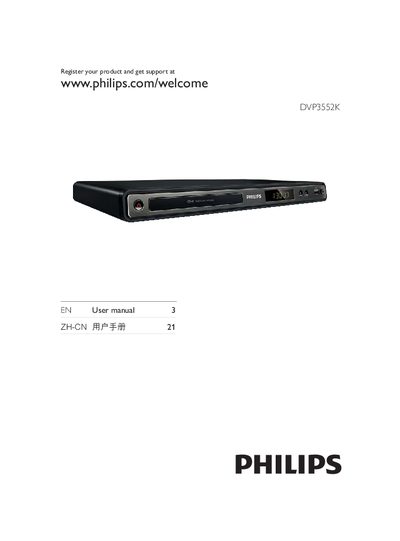
PHILIPS DVP3552K user manual
This manual introduces the Philips DYP3552K DVD player, lists the supported media formats (DVD, DVD+R, DVD‑R, VCD, SVCD, MP3, WMA, DivX, RMVB, JPEG) and explains product registration, safety precautions, and environmental disposal guidelines. It also describes the device’s hardware, remote control, and battery handling.
The guide covers all connection options (component video, composite video, audio, USB, coaxial), step‑by‑step startup procedures, menu navigation, language selection, progressive‑scan settings, and additional features such as MP3 creation and karaoke. Troubleshooting tips, firmware update instructions, and a glossary of terms are provided at the end.
Philips DVP3552K specifications
| Video DAC | 12-bit, 108 MHz |
|---|---|
| Audio DAC | 24-bit, 192 kHz |
| Frequency response | 30-20000 Hz |
| THD (1 kHz) | >65 dB |
| Channel separation (1 kHz) | >70 dB |
| Dynamic range (1 kHz) | >80 dB |
| Playable video media | CD, CD-R/RW, VCD/SVCD, DVD, DVD+R/RW, DVD-R/RW, DVD-Video |
| Video compression formats | MPEG1, MPEG2, DivX 3.11/4.x/5.x/6.0 |
| Video systems | NTSC, PAL |
| Playable audio media | CD, MP3-CD, MP3-DVD, WMA-CD, CD-R/RW, Audio CD |
| Audio formats | MP3, Dolby Digital, PCM, WMA |
| MP3 bit rates | 32-320 kbps |
| Picture media | DVD+R/RW, DVD-R/RW, CD-R/RW, Picture CD, Kodak Picture CD |
| Picture features | JPEG, rotate, zoom, slide show with MP3 |
| Front/side connections | CVBS, USB |
| Rear connections | L/R analog audio out, component video out, composite video (CVBS) out, coaxial digital audio out |
| Parental control | Child safety lock |
| Power supply | 110-240V AC, 50/60 Hz |
| Languages | English, Chinese |
| Dimensions (WxHxD) | 400 x 80 x 282 mm (package), 360 x 39 x 209 mm (unit) |
| Accessories | 2 AAA batteries, audio/video cable, remote control, warranty, user manual, power cord |
| USB host | USB mass storage class |
| Supported USB formats | DivX, JPEG, MP3 |
All Philips DVP3552K documents by type
Day-to-day operation, settings and troubleshooting. Start here if the product is already set up.
Questions answered in these manuals
How do I change the on‑screen language?
Open the General Setup menu, select the language option, choose the desired language, and press OK.
How can I enable progressive scan mode?
Enter Video Setup, select Progressive Scan, set it to On, confirm the warning, and press OK.
What video formats does the Philips DVP3552K support?
It supports MPEG1, MPEG2, and DivX 3.11/4.x/5.x/6.0.
What is the power supply voltage range for the DVD player?
The power supply is 110-240 V, 50/60 Hz.