
Key facts
- Brand
- Philips
- Model
- DVP3560K
- Category
- Player
- Industry
- Appliances
- Documents
- 4
- Languages
- EN · ZH · JA
- Last added
- 2012-03-26
Start here
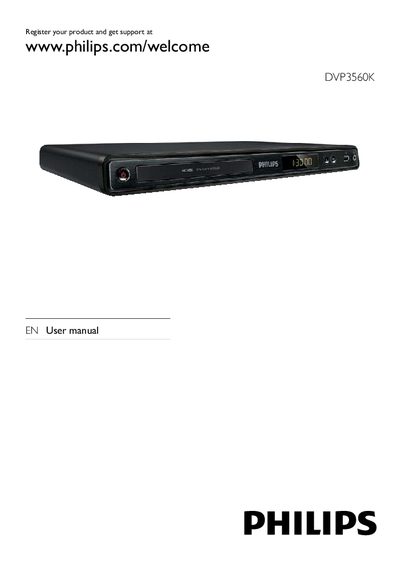
Philips DVP3560K DVD Player User Manual
This manual guides you through installing and using the Philips DVP3560K DVD player. It covers safety notices, product overview, connections (HDMI, component, composite, audio, USB), remote control setup, and basic operation such as playing discs, music, photos and karaoke.
Additional sections explain how to enable progressive‑scan mode, adjust audio/video settings, update software, and troubleshoot common issues. A glossary of terms and language‑selection options are also included.
Philips DVP3560K specifications
| Video resolution | 1080p |
|---|---|
| Audio resolution | 24 bit / 192 kHz |
| Power consumption (standby) | <0.5 W |
| Dimensions (W×H×D) | 400 × 80 × 282 mm |
| USB 2.0 transfer speed | up to 60 Mbps |
All Philips DVP3560K documents by type
Day-to-day operation, settings and troubleshooting. Start here if the product is already set up.
Questions answered in these manuals
How do I register my Philips DVP3560K?
Visit the registration page at www.philips.com/welcome and follow the on‑screen instructions.
How do I connect the DVD player to a TV using HDMI?
Connect an HDMI cable (not supplied) from the HPDMIOUT socket on the player to an HDMI input on the TV.
How do I register my Philips DVP3560K for support?
Visit www.philips.com/welcome and register the product.
What video formats does the DVP3560K support?
It supports CD, CD‑R, CD‑RW, DVD, DVD+R, DVD+RW, DVD‑R, DVD‑RW, DVD‑Video, DivX (3.11‑6.0, Ultra), MPEG‑1, MPEG‑2 and PAL video formats.
How can I connect the DVD player to a TV?
Use the HDMI output for high‑definition video or the analog audio/video outputs on the rear connector panel.