
Key facts
- Brand
- Philips
- Model
- DVP3550K
- Category
- Player
- Industry
- Appliances
- Documents
- 3
- Languages
- EN · JA
- Last added
- 2012-03-26
Start here
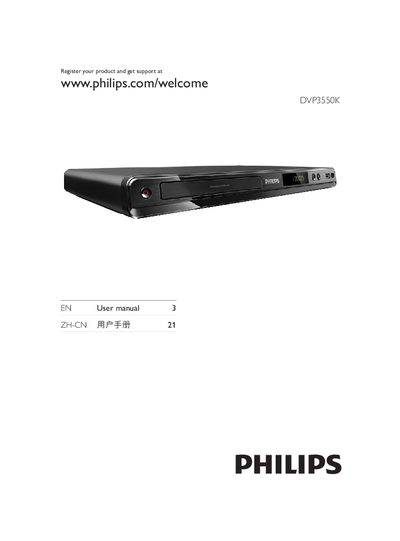
Philips DVP3550K DVD Player User Manual
This manual begins with important safety information, required ventilation space, battery handling, and environmental disposal guidelines. It then describes the DVD player, supported media types (DVD, VCD, SVCD, CD, MP3, WMA, DivX Ultra, JPEG) and the region code for China.
Subsequent sections cover video and audio connections (component Y‑Pb‑Pr, composite CVBS, coaxial, stereo), remote‑control setup, menu navigation, progressive‑scan activation, playback controls, additional features such as media copy, MP3 creation and karaoke, and finally adjustment settings, software updates, maintenance, specifications, and troubleshooting steps.
Philips DVP3550K specifications
| Video processing resolution | 12‑bit, 108 MHz |
|---|---|
| Audio output resolution | 24‑bit, 192 kHz |
| Audio frequency response | 30‑20000 Hz |
| Total harmonic distortion (1 kHz) | > 65 % (approx.) |
| Dynamic range (kHz) | > 80 dB |
| Standby power | < 0.35 W |
| Power supply | 110‑240 V, 50/60 Hz |
| Dimensions (W×H×D) | 400 × 80 × 282 mm |
All Philips DVP3550K documents by type
Day-to-day operation, settings and troubleshooting. Start here if the product is already set up.
Questions answered in these manuals
How can I register my Philips DVP3550K for support?
Visit the Philips registration page at www.philips.com/welcome and follow the registration steps.
How do I enable progressive‑scan mode?
Open the menu, select Video Settings, choose Progressive Scan, set it to On, and confirm.
Can the DVP3550K play MP3 files?
Yes, MP3 files can be played from CD, DVD, or USB with bit rates from 32 to 320 kbps.
What are the audio output specifications?
Audio output is 24‑bit at 192 kHz, with a frequency response of 30‑20000 Hz and a signal‑to‑noise ratio greater than 90 dB.
What video and audio formats does the DVP3550K support?
It can play DVDs, CD‑R, CD‑RW, SVCD, MPEG‑1, MPEG‑2, DivX 3.11‑6.0, MP3, WMA, and other common audio formats.
How do I connect a USB device to the DVP3550K?
Use the USB 2.0 port located on the front or side of the player to connect a USB storage device.