
Key facts
- Brand
- Analog Devices
- Model
- AD9981
- Category
- Other Electronics
- Documents
- 3
- Languages
- EN
- Last added
- 2012-08-02
Start here
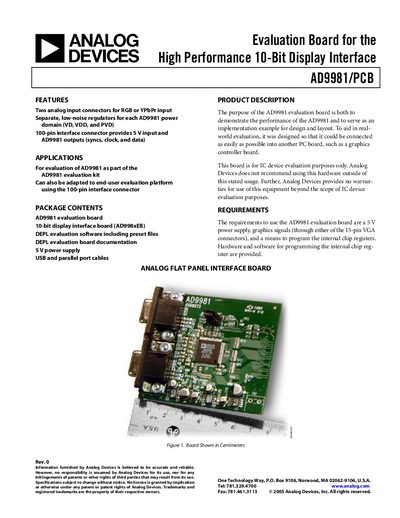
Analog Devices AD9981/PCB Evaluation Board User Manual
The AD9981/PCB evaluation board is designed to demonstrate the performance of the AD9981 10‑bit display interface IC and to provide a reference implementation for design and layout. It includes two analog input connectors for RGB or YPbPr signals, separate low‑noise regulators for each power domain, and a 100‑pin connector for power and AD9981 I/O.
The board requires a 5 V supply and can be programmed via provided hardware (standard printer cable) and software (DEPL evaluation software). Detailed sections describe hardware configuration, register programming, software installation, sample settings, schematics, and ordering information.
Analog Devices AD9981 specifications
| Offset adjustment range | + 255/-256 LSBs |
|---|---|
| Target code bits | 11-bit twos complement |
| Evaluation time range | 16 to 40 data clock cycles |
Source: Analog Devices AN-774 Application Note Implementing the Auto-Offset Function on the AD9981
All Analog Devices AD9981 documents by type
How to use the product for one specific task, with worked examples.
Day-to-day operation, settings and troubleshooting. Start here if the product is already set up.
Questions answered in these manuals
How is the auto-offset function enabled?
To activate the auto-offset mode, set Register 0x1B, Bit 5 to 1.
From: Analog Devices AN-774 Application Note Implementing the Auto-Offset Function on the AD9981
What are the valid target code ranges for ground-clamped inputs?
The range is from -255 to -1 and from 1 to +255.
From: Analog Devices AN-774 Application Note Implementing the Auto-Offset Function on the AD9981
What pixel clock speeds can be achieved with a dual AD9981 configuration?
Pixel clock speeds in excess of 110 MHz can be achieved with the AD9981 by using a dual chip configuration.
From: Analog Devices AN-776 AD9981 Dual Chip Design Guideline
How many data output traces are required for a dual AD9981 design?
Single-channel mode requires 60 data output traces and requires a graphics controller that has 60 data input lines.
From: Analog Devices AN-776 AD9981 Dual Chip Design Guideline
What power supply is required for the AD9981 evaluation board?
The board needs a 5 V power supply, which is applied through the right‑side connector (Pins 1‑4 of J3).
From: Analog Devices AD9981/PCB Evaluation Board User Manual
How are the AD9981 internal registers programmed?
Programming is done with provided hardware (a standard printer cable and a receiver chip) and the DEPL evaluation software; signals are routed via Pins 7 and 9 on connector J3.
From: Analog Devices AD9981/PCB Evaluation Board User Manual