
Key facts
- Brand
- Philips
- Model
- HTS7140
- Category
- Hi-Fi
- Industry
- Appliances
- Documents
- 4
- Languages
- EN · ZH
- Last added
- 2012-03-26
Start here
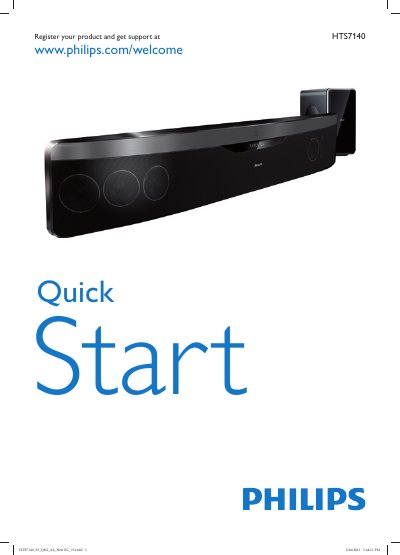
Philips HTS7140 Quick Start Guide
This guide provides two quick‑start instructions to help you install and begin using the Philips HTS7140 home theater system. It explains product registration, basic connections such as HDMI, sub‑woofer, FM antenna and USB, and shows the remote‑control options included in the box.
The document is multilingual, offering the same setup steps in many languages. It also includes a brief specifications notice and Philips support information.
Philips HTS7140 specifications
| Total Power RMS | 500 W @ 30% THD |
|---|---|
| Frequency response | 20 - 20000 Hz |
| Power supply | 100-240VAC, 50/60Hz |
| Power consumption | 115 W |
| Standby power consumption | <0.22 W |
| Subwoofer driver | 1 x 6.5" woofer |
| Set weight | 6.4 kg |
| HDMI output | HDMI 1.4 output (ARC) |
| Sound system | Ambisound, Dolby Digital, DTS, Dolby Prologic II, Dolby True HD |
Source: Philips HTS7140 Soundbar Home Theater Blu-ray 3D Playback Product Leaflet
All Philips HTS7140 documents by type
Day-to-day operation, settings and troubleshooting. Start here if the product is already set up.
The shortest path to a working setup, usually only a few pages.
Questions answered in these manuals
Where can I register my Philips HTS7140?
You can register the product at www.philips.com/welcome.
How many quick start guides are included in this document?
The document contains two quick start guides.
What is Ambisound?
It is the technology Philips uses to produce multi-channel surround sound from fewer speakers, delivering an immersive 5.1 experience without multiple speakers and cables.
From: Philips HTS7140 Soundbar Home Theater Blu-ray 3D Playback Product Leaflet
How do you get BD-Live online content?
You receive up-to-date content by connecting your Blu-ray Disc player to the internet.
From: Philips HTS7140 Soundbar Home Theater Blu-ray 3D Playback Product Leaflet
How do I register my Philips HTS7140?
Visit www.philips.com/welcome and enter the HTS7140 registration details.
How can I connect the HTS7140 to my TV?
Use the HDMI OUT (ARC) port for the best quality, or connect via COMPONENT VIDEO, VIDEO OUT (composite), or AUDIO IN‑AUX as described in the manual.