
Key facts
- Brand
- Philips
- Model
- HTS6520
- Category
- Hi-Fi
- Industry
- Appliances
- Documents
- 4
- Languages
- EN · ZH
- Last added
- 2012-03-26
Start here
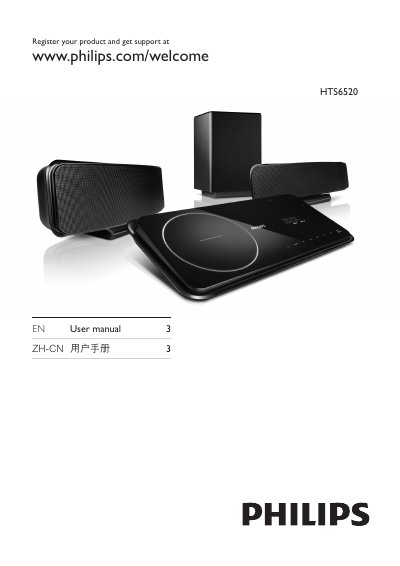
Philips HTS6520 User Manual
This manual explains how to register your Philips HTS6520 product and obtain support through the Philips website. It includes the registration URL and basic user guidance.
The document also contains safety and environmental information, such as hazardous substance symbols, battery labeling periods, and details about the system’s components like the remote control, subwoofer, loudspeakers, and HDMI/EasyLink features.
Philips HTS6520 specifications
| Audio formats | MP3, WMA |
|---|---|
| Video formats | DivX 3.11‑6.0, DivX Ultra, MPEG1, MPEG2 |
| Speaker impedance | 8 Ω |
| Subwoofer impedance | 4 Ω |
| Power supply | 100‑240 VAC, 50/60 Hz |
| Standby power consumption | < 0.3 W |
All Philips HTS6520 documents by type
Day-to-day operation, settings and troubleshooting. Start here if the product is already set up.
Questions answered in these manuals
How do I register my Philips HTS6520 product?
You can register the product at www.philips.com/welcome.
What does the battery labeling logo indicate?
It indicates a 5‑year period during which hazardous substances in the battery will not leak.
How can I register my Philips HTS6520?
Register your product at www.philips.com/welcome to receive support.
How do I connect an iPod to the HTS6520?
Connect the iPod to the iPod dock on the unit.
How does EasyLink control multiple HDMI devices?
EasyLink uses the HDMI‑CEC standard so a single remote can control all HDMI‑CEC‑compatible devices connected via HDMI.
What video resolution does the system support?
The HDMI output supports up to 1080p high‑definition video.