
Key facts
- Brand
- Philips
- Model
- HTS5120
- Category
- Hi-Fi
- Industry
- Appliances
- Documents
- 9
- Languages
- EN · ZH
- Last added
- 2012-03-26
Start here
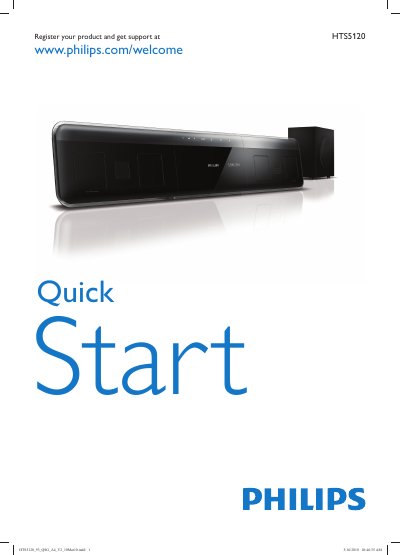
Philips HTS5120 Quick Start Guide
The guide begins with product registration, directing users to register their HTS5120 at www.philips.com/welcome. It then outlines the basic hardware components such as the power cord, AC adapter, and the required batteries (two AAA cells).
Next, the guide details the various connection options—HDMI, FM antenna, composite and digital audio cables—as well as menu settings like TV/USB sources, language selection, screen saver, and sleep timer. It also lists accessories like the iPod dock and provides a brief overview of the home‑theater functions.
Philips HTS5120 specifications
| Maximum output power (RMS) | 400 W |
|---|---|
| Subwoofer frequency range | 35–200 Hz |
| Speaker impedance | 8 Ω |
| Dimensions (W × H × D) | 790.6 mm × 145 mm × 57.4 mm |
| Weight | 2.23 kg |
| Power supply | 100‑240 VAC, 50/60 Hz |
| Standby power consumption | <1 W |
| USB 2.0 data rate | 480 Mbps |
| Supported audio formats | Dolby Digital 5.1, DTS 96/24, Prologic II |
| Supported video resolution | HDMI 1080p |
All Philips HTS5120 documents by type
Day-to-day operation, settings and troubleshooting. Start here if the product is already set up.
- PHILIPS home theatre DVD Broadcast HTS5120 Manual
- Philips HTS5120 user\'s manual(3)
- Philips HTS5120 SoundBar User Manual 7 p
- Philips HTS5120 Home Theater System User Manual 23 p
- Philips HTS5120 Home Theater System User Manual 24 p
- Philips HTS5120 SoundBar User Manual 7 p
- Philips HTS5120 SoundBar User Manual 3 p
- Philips HTS5120 Home Theater User Manual 24 p
The shortest path to a working setup, usually only a few pages.
Questions answered in these manuals
How do I register my Philips HTS5120?
Visit www.philips.com/welcome to register the product.
What cables are needed to connect the HTS5120?
Use HDMI, FM cable, digital audio cable, composite cable, and audio cable.
How do I control the volume on the HTS5120?
Use the front‑panel touch screen to adjust the volume directly.
What is the maximum audio power output of the HTS5120?
The system delivers up to 400 W RMS of audio power.
How can I register my HTS5120 for support?
Visit www.philips.com/welcome to register your product and obtain full support.
How do I connect the home theater to a TV using HDMI?
Connect the HDMI OUT connector on the back of the unit to the HDMI input on your TV.