
Key facts
- Brand
- Philips
- Model
- 223E1
- Documents
- 2
- Languages
- EN
- Last added
- 2011-11-15
Start here
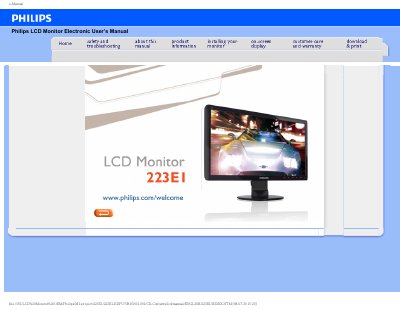
Philips 223E1 LCD Monitor Electronic User's Manual
This electronic user's manual covers the Philips 223E1 LCD Monitor, a 21.5-inch display with a native resolution of 1920x1080 at 60Hz. It includes safety precautions, maintenance guidelines, and instructions for connecting the monitor to standard PCs, Macs, and workstations.
The manual also answers frequently asked questions about resolution, color settings, drivers, wall mounting, and LCD panel technology, and provides troubleshooting steps plus regulatory information.
Philips 223E1 specifications
| Operating temperature | 0-40°C (32-95°F) |
|---|---|
| Operating humidity | 20-80% RH |
| Recommended resolution | 1920x1080 @60Hz |
| Native resolution | 1920x1080@60Hz |
| Recommended refresh rate | 60Hz |
| Color temperature settings | 5000K, 6500K, 7500K, 8200K, 9300K, 11500K |
| Plug-and-Play compatibility | Windows 95, 98, 2000, XP, Vista and Linux |
All Philips 223E1 documents by type
Day-to-day operation, settings and troubleshooting. Start here if the product is already set up.
Questions answered in these manuals
What is the recommended resolution for the Philips 21.5-inch monitor?
The recommended resolution is 1920x1080 at 60Hz.
Can the Philips LCD Monitor be mounted on the wall?
Yes, it can be mounted using the standard VESA mount holes on the rear cover.
What should I do if the screen shows “Cannot display this video mode”?
Disconnect all cables, reconnect the PC to the original monitor, then adjust the display settings to 1920 × 1080 px at 60 Hz.
What is the recommended refresh rate for this LCD monitor?
The recommended refresh rate is 60 Hz.