
Key facts
Start here
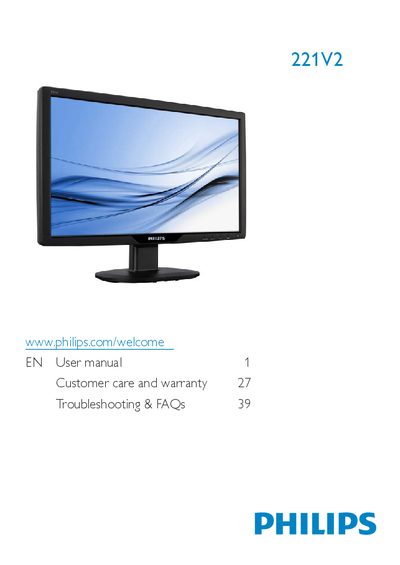
Philips 221V2 User Manual
This manual covers the Philips 221V2 LCD monitor, describing safety precautions, installation steps, and how to use the on‑screen display (OSD) features. It also includes product information, technical specifications, regulatory details, and warranty guidance.
Key sections include safety and disposal instructions, step‑by‑step installation, OSD menu navigation, VESA mounting, troubleshooting FAQs, and contact information for service and warranty support.
Philips 221V2 specifications
| Panel type | TFT LCD |
|---|---|
| Backlight | CCFL |
| Screen size | 21.5" (54.6 cm) |
| Aspect ratio | 16:9 |
| Pixel pitch | 0.284 x 0.284 mm |
| Brightness | 300 cd/m² |
| Contrast ratio (typical) | 1000:1 |
| Response time (typical) | 5 ms |
| Native resolution | 1920 x 1080 @ 60 Hz |
| Viewing angle | 176° (H) / 170° (V) |
| Color depth | 16.7 million colors |
| Vertical refresh rate | 56 Hz – 76 Hz |
| Horizontal frequency | 30 kHz – 80 kHz |
| VESA mount | 100 mm x 100 mm |
All Philips 221V2 documents by type
Day-to-day operation, settings and troubleshooting. Start here if the product is already set up.
Questions answered in these manuals
What should I do if the monitor shows “Cannot display this video mode”?
Set the PC to the recommended resolution of 1920 × 1080 @ 60 Hz, then restart the computer and reconnect the monitor.
What refresh rate is recommended for the LCD monitor?
The recommended refresh rate is 60 Hz; you may increase it up to 75 Hz to check for interference.
How can I prevent burn‑in on the Philips 221V2 monitor?
Activate a moving screen‑saver program and a periodic screen‑refresh application when the monitor displays static content.
What should I do if the monitor shows “This video mode cannot be displayed”?
Set the resolution to the recommended 1920 × 1080 @ 60 Hz, adjust the display settings in Windows, and restart the computer.
What is the recommended refresh rate for the LCD monitor?
The recommended refresh rate is 60 Hz; you can try 75 Hz if you experience visual artifacts.
Can the Philips 221V2 monitor be mounted on a wall?
Yes, the monitor supports a standard 100 mm × 100 mm VESA mounting interface for wall or arm mounting.