
Key facts
- Brand
- STMicroelectronics
- Model
- STA350BW
- Category
- Other Electronics
- Documents
- 2
- Languages
- EN
- Last added
- 2012-08-08
Start here
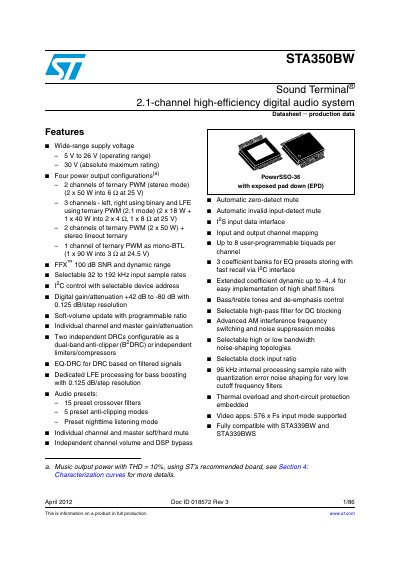
STA350BW Sound Terminal Datasheet
The STA350BW is a 2.1-channel high-efficiency digital audio system designed by STMicroelectronics. It supports wide-range supply voltages from 8 V to 26 V and offers four power output configurations, including stereo mode (2 x 50 W) and 2.1 mode with an LFE channel (2 x 18 W + 1 x 40 W). The device utilizes FFX™ technology for a signal-to-noise ratio of 100 dB.
Read onlineSTMicroelectronics STA350BW specifications
| Supply Voltage (Operating) | 8 V to 26 V |
|---|---|
| Absolute Maximum Rating | 30 V |
| Stereo Mode Power Output | 2 x 50 W into 6 @ at 25 V |
| 2.1 Mode Power Output | 2 x 18 W + 1 x 40 W into 2x49,1x8Qat25V |
| Mono-BTL Power Output | 1 x 90 W into 3 © at 24.5 V |
| Signal-to-Noise Ratio | 100 dB |
| Input Sample Rates | 32 to 192 kHz |
All STMicroelectronics STA350BW documents by type
Ratings, dimensions and ordering codes, for selection and design work.
How to use the product for one specific task, with worked examples.
Questions answered in these manuals
What is the operating supply voltage range?
The device operates with a wide-range supply voltage from 8 V to 26 V.
What are the power output options?
The system offers four configurations: stereo mode, 2.1 mode with LFE, stereo plus lineout, and mono-BTL.
What equipment is used for testing?
The test setup includes Audio Precision System 2700, a DC power supply (4.5V to 26V), a Digital oscilloscope TDS3034B by Tektronix, and a PC with APWorkbench GUI.
From: STMicroelectronics AN3383 STA350BW 2.0-Channel Demo Board Application Note
How should the board be connected?
Connect the positive voltage of the 24V DC power supply to the +Vcc pin and negative to GND. Connect the APWorkbench board to the J1 connector.
From: STMicroelectronics AN3383 STA350BW 2.0-Channel Demo Board Application Note