
Key facts
- Brand
- Philips
- Model
- DCP951
- Industry
- Electronics
- Documents
- 4
- Languages
- EN · ZH · FR
- Last added
- 2012-03-27
Start here
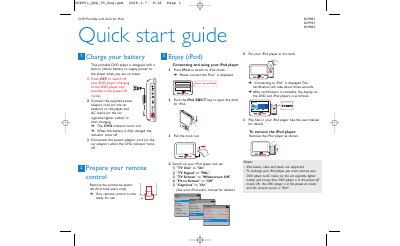
DCP851 DCP951 DCP852 Portable DVD Player Quick Start Guide
This guide explains how to power the portable DVD player using the supplied AC adapter or a car cigarette‑lighter adaptor, how to monitor charging with the CHG indicator, and how to operate basic playback functions. It also describes how to prepare the remote control and remove the protective plastic tab for first‑time use.
Additional sections cover connecting an iPod (classic, nano, or touch) in the dock, using headphones, inserting an SD/MMC card for media playback, and linking the player to a TV via AV OUT. Instructions for disc loading, playback control, and battery‑life maintenance are also included.
Philips DCP951 specifications
| Battery type | Built‑in lithium battery |
|---|---|
| Charging sources | AC mains or car cigarette‑lighter adaptor |
| Supported iPod models | iPod classic, nano, touch |
| Supported memory cards | SD/MMC cards |
| Headphone output | Two headphone jacks (n1, n2) |
Source: DCP851 DCP951 DCP852 Portable DVD Player Quick Start Guide
All Philips DCP951 documents by type
Day-to-day operation, settings and troubleshooting. Start here if the product is already set up.
The shortest path to a working setup, usually only a few pages.
Questions answered in these manuals
How do I charge the portable DVD player?
Connect the supplied power adaptor cord (or the car adaptor) to AC mains or the car cigarette‑lighter outlet; the CHG indicator turns red while charging and turns off when fully charged.
From: DCP851 DCP951 DCP852 Portable DVD Player Quick Start Guide
How long can the built‑in battery play media?
The battery can support up to 2.5 hours of playback.
What media formats does the DCP951 support?
It plays DVD, DVD±R/±RW, SVCD, Video CD, CD, CD‑R/‑RW, MP3‑CD, Picture CD, DivX, MPEG‑4, and can read SD/MMC cards.
How do I charge the battery?
Turn off the DVD player, then connect the supplied AC adapter or car adapter to a power outlet or car cigarette lighter; the CHG indicator turns green and goes off when charging is complete.
Which iPod models are supported?
iPod classic, nano and touch are supported.