
Key facts
Start here
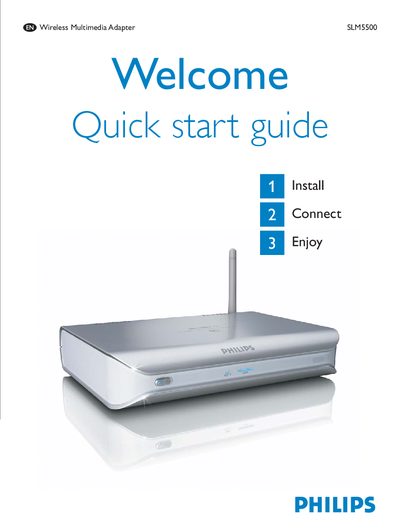
Philips SLM5500 Quick Start Guide
The SLM5500 Wireless Multimedia Adapter comes with a remote control, installation CD, SCART cable, power cable, and optional accessories such as a digital audio cable and network cable. The guide walks you through installing the Philips Media Manager software, connecting the adapter to a TV via SCART or Y‑Pb‑Pr, and setting up network and power connections.
After installation, you can use the remote to navigate the configuration wizard, share media files from a computer, and play music, pictures, or movies on your TV. The guide also includes troubleshooting tips for common issues like no video, no sound, or network connectivity problems, and provides contact information for Philips support.
Philips SLM5500 specifications
| Supported video formats | MPEG1, MPEG2, MPEG4, WMV, WMV-DRM, DivX, Xvid |
|---|---|
| Supported audio formats | WMA, WMA-DRM, MP3, AAC-MPEG4 |
| Power source | 2 x AA batteries |
| Wireless connectivity | 2.4 GHz link to PC |
Source: Philips SLM5500 Wireless Multimedia Adapter User Manual
All Philips SLM5500 documents by type
Day-to-day operation, settings and troubleshooting. Start here if the product is already set up.
The shortest path to a working setup, usually only a few pages.
Questions answered in these manuals
How do I connect the SLM5500 to a TV?
Use the SCART cable and set the "To TV" switch to SCART, or use a Y‑Pb‑Pr (3‑RCA) cable and set the switch to Y‑Pb‑Pr for high‑definition TVs.
What should I do if the remote control does not respond?
Make sure the SLM5500 is switched on, insert fresh batteries correctly, and point the remote at the device.
What is included in the box?
The box contains the SLM5500 remote control, the wireless multimedia adapter, two AA batteries, an installation CD, a SCART cable and a power cable.
From: Philips SLM5500 Wireless Multimedia Adapter User Manual
How do I set up the wireless network?
Run the network wizard from the Settings menu and follow the on‑screen instructions; a broadband connection of at least 256 kbps is required.
From: Philips SLM5500 Wireless Multimedia Adapter User Manual
Why is there no video signal on the TV?
Make sure the TV output switch on the SLM5500 is set to the correct position and that the TV supports the SLM5500 video signal.
How do I connect the SLM5500 to Wi‑Fi?
Ensure your wireless router is turned on, the SSID is set, and then enter the network password when prompted on the device.