
Key facts
- Brand
- Philips
- Model
- VTR6200
- Category
- Other
- Industry
- Electronics
- Documents
- 2
- Languages
- ZH
- Last added
- 2026-10-06
Start here
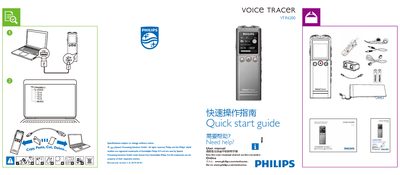
Philips VTR6200 Quick Start Guide
This Quick Start Guide provides the essential steps to get the Philips VTR6200 voice recorder up and running. It points users to the full user manual and online support for more detailed instructions.
The guide lists the available recording quality options, timer settings, language choices, backlight duration, and auto‑off functions, allowing users to quickly configure the device for their needs. This manual is written in Chinese.
Philips VTR6200 specifications
| Recording quality options | PCM, RNC, HQ, SP, SLP |
|---|---|
| Maximum recording length | 30 min, 60 min, 12 h, 24 h |
| Record timer presets | 0 min, 30 min, 60 min, 120 min |
| Supported languages | Simplified Chinese, Traditional Chinese, English |
| Backlight duration options | 15 s, 30 s, 45 s, 60 s |
All Philips VTR6200 documents by type
The shortest path to a working setup, usually only a few pages.
Day-to-day operation, settings and troubleshooting. Start here if the product is already set up.
Questions answered in these manuals
How do I change the recording quality?
Select the desired quality (PCM, RNC, HQ, SP, or SLP) from the Quality Settings menu.
What recording length options are available?
You can record up to 30 min, 60 min, 12 h, or 24 h depending on the selected mode.
How do I turn the recorder on and off?
Slide the power key down for 2–3 seconds; the device will power on or off and display the PHILIPS power icon.
How do I start and stop a recording?
Press the record key briefly to start recording; press the stop key to end and save the recording.