
Key facts
- Brand
- Philips
- Model
- 170P7
- Documents
- 2
- Languages
- EN
- Last added
- 2012-03-23
Start here
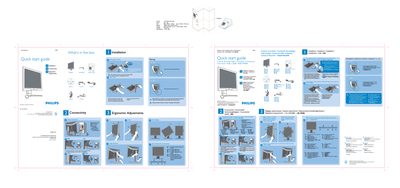
PHILIPS LCD Monitor I70P7 user guide ( English )
The guide begins with a list of items included in the box – the monitor, base stand, power cord, USB cable, DVI cable and VGA cable – and provides step‑by‑step instructions for attaching the base stand and positioning the monitor safely. Safety warnings stress using two hands when lifting the monitor and securing the stand before removing any pins.
It then explains how to connect the monitor, recommending the DVI input for best performance and setting the display resolution to 1280 × 1024 @ 60 Hz. Additional sections cover ergonomic adjustments such as height, swivel, portrait mode, and a quick reference for the control buttons.
Philips 170P7 specifications
| Operating Temperature | 5‑35 °C |
|---|---|
| Operating Humidity | 20‑80 % RH |
| Recommended Resolution | 1280 × 1024 @ 50 Hz |
| Refresh Rate | 60 Hz |
| VESA Mounting | 4 standard VESA mounting holes |
All Philips 170P7 documents by type
The shortest path to a working setup, usually only a few pages.
Day-to-day operation, settings and troubleshooting. Start here if the product is already set up.
Questions answered in these manuals
How do I adjust the monitor height?
The height can be adjusted using the ergonomic height adjustment control on the monitor.
Can the monitor be mounted on a wall?
Yes, the monitor has four standard VESA mounting holes for wall‑mounting.