
Key facts
- Brand
- Philips
- Model
- SA5295
- Documents
- 2
- Languages
- ZH
- Last added
- 2011-12-17
Start here
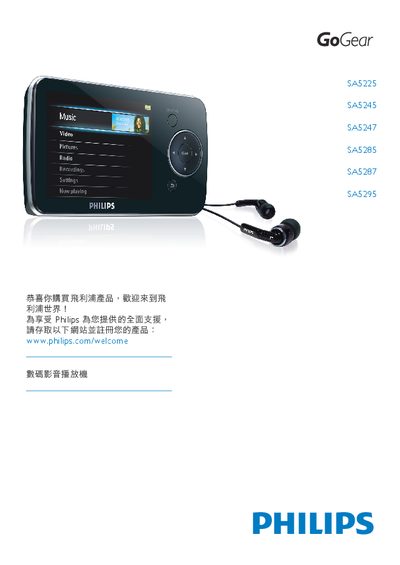
Philips SA5225/SA5245/SA5247/SA5285/SA5287/SA5295 Audio Video Player User Manual
The Philips GoGear SA5225/SA5245/SA5247/SA5285/SA5287/SA5295 is a portable audio‑video player that can play video files (WMV, MPEG‑4), audio files (MP3, WMA, AAC), display photos, play FM radio and record audio. It includes a rechargeable battery, a headphone jack, and a USB connector for data transfer.
The manual covers important safety information, product contents, quick‑start steps, menu options, battery handling, data logging, environmental disposal, and a detailed troubleshooting section with common error solutions. It also explains how to register the product and obtain software updates via Philips' support website. This manual is written in Chinese.
Philips SA5295 specifications
| Operating Temperature | 0 °C to 35 °C |
|---|---|
| Usable Storage Capacity | Up to 21 MB (less than 1 GB usable) |
| Battery Charging Cycles | Limited, varies with usage |
Source: Philips SA5225/SA5245/SA5247/SA5285/SA5287/SA5295 Audio Video Player User Manual
All Philips SA5295 documents by type
Day-to-day operation, settings and troubleshooting. Start here if the product is already set up.
Questions answered in these manuals
How do I reset the player if it freezes?
Insert a pin or similar object into the reset hole beneath the player and hold it until the device powers off.
From: Philips SA5225/SA5245/SA5247/SA5285/SA5287/SA5295 Audio Video Player User Manual
What should I do if there is no sound coming from the player?
Make sure the headphones are fully inserted, verify that the audio file is not corrupted, and try converting the file if necessary.
From: Philips SA5225/SA5245/SA5247/SA5285/SA5287/SA5295 Audio Video Player User Manual