
Key facts
- Brand
- Philips
- Model
- DCM105
- Category
- Home Speakers
- Industry
- Computers
- Documents
- 6
- Languages
- EN · ZH · PL
- Last added
- 2012-03-27
Start here
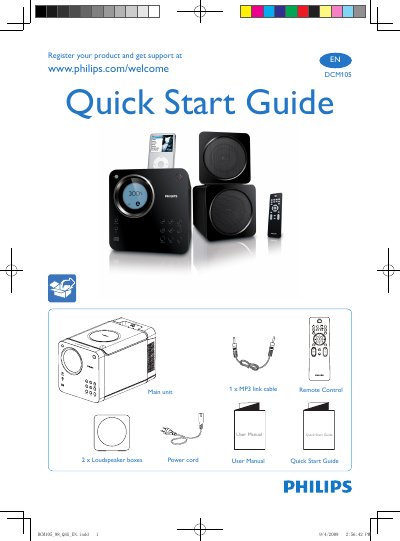
Philips DCM105 Quick Start Guide
The guide provides step‑by‑step instructions to register your Philips DCM105 and obtain support via www.philips.com/welcome. It also includes a quick start overview of the remote control, main unit, power cord, loudspeaker boxes and MP3 link cable.
Additional sections explain how to set the clock, play discs, connect an iPod and listen to FM radio, with brief button‑press instructions for each function.
Philips DCM105 specifications
| Main unit dimensions | 150 x 152 x 197 mm |
|---|---|
| Enclosure dimensions | 531 x 302 x 202 mm |
| Weight (including enclosure) | 5.48 kg |
| Output power | 2 × 5 W RMS |
| Power supply | 110‑240 V AC, 50 Hz |
| Headphone jack | 3.5 mm |
| iPod compatibility | iPod, iPod mini, iPod nano, iPod with color screen, 5th‑gen iPod, iPod touch |
Source: Philips DCM105 User Manual
All Philips DCM105 documents by type
Day-to-day operation, settings and troubleshooting. Start here if the product is already set up.
The shortest path to a working setup, usually only a few pages.
Questions answered in these manuals
How do I register my Philips DCM105?
Visit www.philips.com/welcome to register the product and get support.
How do I set the clock on the DCM105?
Press and hold the B and C buttons to set the clock.
What should I do if the remote control does not work?
First select the correct source with the remote, reduce the distance to the unit, ensure the battery polarity is correct, replace the battery if needed, and aim the remote directly at the sensor on the front of the unit.
From: Philips DCM105 Docking Entertainment System User Manual
Why is the radio reception poor and how can I improve it?
Increase the distance between the unit and your TV or VCR, and fully extend the FM antenna to improve reception.
From: Philips DCM105 Docking Entertainment System User Manual
How does the DCM105 charge an iPod?
The dock includes a charging mode that powers the iPod while it is placed in the dock.
Which iPod models are compatible with the DCM105?
It works with iPod, iPod mini, iPod nano, iPod with a color screen, 5th‑generation iPod, and iPod touch.