
Key facts
- Brand
- Philips
- Model
- DC320
- Category
- Home Speakers
- Industry
- Computers
- Documents
- 6
- Languages
- EN · ZH
- Last added
- 2012-03-27
Start here
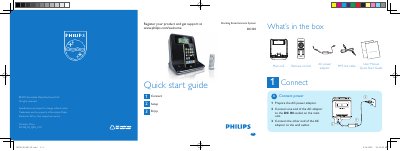
Philips DC320 Music Player Quick Start Guide
This Quick Start Guide introduces the Philips DC320 music player. It lists the items included in the box, shows how to connect the AC power adaptor, and explains basic operation steps.
The guide walks you through setting the time and date, programming radio stations, using the alarm timer, and docking an iPod or iPhone for playback. It also provides tips for adjusting alarm repeat intervals and navigating the player’s menu.
Philips DC320 specifications
| Power Input | 100‑240 V~, 50‑60 Hz, 0.55 A |
|---|---|
| Power Output | 12 V 2 A |
| Power Consumption | 10 W |
| Standby Power Consumption | <2 W |
| Dimensions (W x H x D) | 173 x 185 x 144 mm |
| Weight | 0.66 kg |
| Rated Output Power | 2 x 6 W RMS |
| Frequency Response | 125 Hz – 16 kHz, ±3 dB |
| Signal‑to‑Noise Ratio | >55 dB |
| FM Tuning Range | 87.5 – 108 MHz |
| Total Harmonic Distortion | <3 % |
Source: Philips 17DC320 Docking Entertainment System User Manual
All Philips DC320 documents by type
Day-to-day operation, settings and troubleshooting. Start here if the product is already set up.
The shortest path to a working setup, usually only a few pages.
Questions answered in these manuals
How do I set the time and date on the DC320?
In standby mode, press and hold SET TIME/PROG for 2 seconds, then use the / key to select 12/24‑hour format and adjust hour, minute, year, month, and day.
How can I set an alarm on the DC320?
Press ALM 1 or ALM 2 repeatedly to activate the timer, hold the same button for 2 seconds to start setting, then use the / key to set hour and minute, and confirm with ALM 1 or ALM 2.
How do I adjust the volume?
Press VOL +/- on the remote or main unit to increase or decrease the volume level.
From: Philips 17DC320 Docking Entertainment System User Manual
How do I set the time on the DC320?
In standby mode, press and hold the SET TIME/PROG button for 2 seconds, then follow the on‑screen prompts to select 12‑ or 24‑hour format and adjust the hour, minute, year, month, and day.
How do I set an alarm timer?
Press and hold ALM 1 or ALM 2 for 2 seconds, select the alarm sound source, then set the hour and minute using the same buttons; repeat for a second alarm if needed.
Which iPhone models are compatible with the Philips DC320?
The DC320 works with iPhone, iPhone 3G, and iPhone 3GS.