
Key facts
- Brand
- HP
- Model
- 7.00
- Category
- Storage
- Industry
- Electronics
- Documents
- 51
- Languages
- EN · DE · UK · FR · ZH
- Last added
- 2026-11-27
Start here
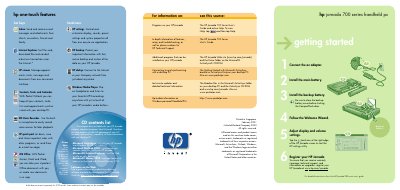
HP Jornada 700 Handheld PC Quick Start Card
This quick start card provides the essential steps to get your HP Jornada 700 handheld PC up and running. It walks you through connecting the AC adapter, installing the main and backup batteries, and using the Welcome Wizard to adjust display and volume settings.
The guide also explains how to register the device online, install Microsoft ActiveSync on a Windows PC, and connect the Jornada via cradle, serial or USB cable for data synchronization. Hardware features such as the infrared port, USB port, and various LEDs are listed for reference.
HP 7.00 specifications
| Cell Manager RAM | 256 MB (512 MB recommended) |
|---|---|
| Java GUI RAM | 512 MB (1 GB recommended) |
| Java GUI Disk Space | 40 MB (60 MB recommended) |
All HP 7.00 documents by type
Day-to-day operation, settings and troubleshooting. Start here if the product is already set up.
- HP Data Protector 7.00 Getting Started Guide 16 p
- HP Jetdirect 2700W USB Wireless Print Server Setup Guide 42 p
- HP Latex 2700/2700 W Printer Series Wallcoverings User Manual 14 p
- HP Color LaserJet Enterprise 6700 6701 User Manual 201 p
- HP Color LaserJet 3550 and 3700 User Guide 266 p
- HP DeskJet 2700 All-in-One Series User Manual 11 p
- HP MFP Analog Fax Accessory 700 User Guide 36 p
- HP DeskJet 3700 All-in-One Printer Series User Guide 10 p
- HP DeskJet 3700 Series All-in-One Printer User Manual 113 p
- HP Color LaserJet 2700 Series Printer User Guide 169 p
- HP Officejet 6700 e-All-in-One Series User Guide 218 p
- HP P700 Portable SSD Quick Start Guide 96 p
- HP DeskJet 3700 All-in-One Series User Manual 120 p
- HP DeskJet 2700 All-in-One Series User Guide 126 p
- HP Color LaserJet 3700 Series User Guide 8 p
- HP OfficeJet Series 700 User's Guide 40 p
- HP DesignJet T1700 Printer Series User Guide 189 p
- HP LaserJet Enterprise 700 color MFP M775 Series User Guide 310 p
- HP Officejet 6700 Series User Guide 218 p
- HP Color LaserJet 3700 Series Parallel Configuration Guide 1 p
- HP Scanjet 7000/5000 Scanner User Guide 42 p
- HP Pavilion LC3700N/LC3200N/LC2600N LCD HDTV User Guide 322 p
- HP Jornada 700 Series Handheld PC User Guide 204 p
- HP Pavilion LC3700N/LC3200N/LC2600N HD Television User Guide 16 p
- HP Pavilion LCD HDTV HP Pavilion LC3700N 37-Inch (94-Centimeter) LCD High-Definition Television HP Pavilion LC3200N 32-Inch (81-Centimeter) LCD High-Definition Television HP Pavilion LC2600N 26-Inch 322 p
- HP iPAQ hx4700 Series Pocket PC User Guide 169 p
- HP OfficeJet 700 Series User Manual 40 p
- HP CP1700 Series Printer User Manual 85 p
- HP Color LaserJet 4700 Series Printer User Manual 316 p
- HP Photosmart 7700 Series Printer Basic Operating Instructions 188 p
- HP iPAQ hx4700 User Manual 2 p
- HP Officejet J5700 All-in-One User Manual 281 p
- HP LD4200 and LD4700 LCD Display User Manual 79 p
- HP Photosmart C4700 Series Printer User Manual 114 p
- HP Deskjet 5700 Series Printer User Manual 98 p
- HP Officejet 5700 J All-in-One Printer User Guide 276 p
- HP Color LaserJet 3500 and 3700 Series Printer User Guide 234 p
- HP Officejet Pro L7300/L7500/L7600/L7700 All-in-One User Manual 239 p
Mounting, wiring and first power-up. Read it before the hardware goes in.
How to use the product for one specific task, with worked examples.
Disassembly, diagnostics and part numbers, for repair.
Ratings, dimensions and ordering codes, for selection and design work.
The shortest path to a working setup, usually only a few pages.
Questions answered in these manuals
How do I install Data Protector on Windows?
Insert the installation DVD-ROM, run the appropriate setup.exe for your system architecture, select Cell Manager, and follow the wizard using default values.
Can I install Data Protector on UNIX systems?
Yes, using the omnisetup.sh script. Only Java GUI is supported, requiring 75-200 MB disk space depending on languages installed.
Can I install more than one HP Jetdirect 2700W on a single printer?
No, installing more than one HP Jetdirect 2700W on the same printer will result in an error message.
From: HP Jetdirect 2700W USB Wireless Print Server Setup Guide
Can I use an HP Jetdirect 2700W and an HP Jetdirect 2800W on the same printer?
No, these print servers cannot be used simultaneously on one printer.
From: HP Jetdirect 2700W USB Wireless Print Server Setup Guide
How can I check the current firmware version on an HP Color LaserJet 4700?
Print the Configuration Page from the control panel and look in the Device Information section for the firmware date code.
What is included in a remote firmware update?
It contains firmware for the printer, embedded JetDirect if applicable, and HP paper handling accessories in one download file.