
Key facts
- Brand
- HP
- Model
- 8.02
- Category
- Other software
- Industry
- Software
- Documents
- 6
- Languages
- EN · ZH
- Last added
- 2026-11-22
Start here
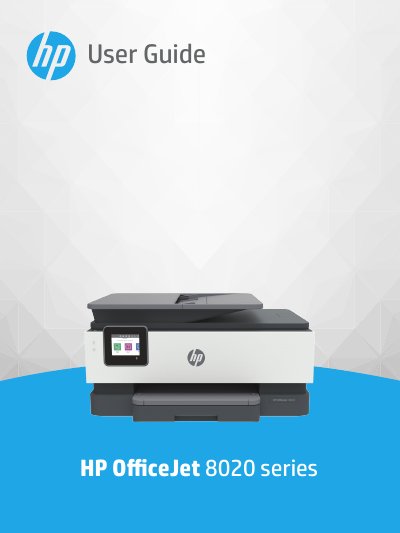
HP OfficeJet 8020 Series Printer User Guide
The HP OfficeJet 8020 series user guide explains how to use the printer and how to resolve problems. It opens with getting started topics such as printer parts, control panel use, paper loading, software access, and turning the printer off.
Later sections cover printing, copying and scanning, faxing, Web Services, cartridges and printhead information, network setup, and printer management tools. The guide also includes troubleshooting, maintenance, factory reset information, HP support, and technical information with specifications and regulatory notices.
HP 8.02 specifications
| Sleep mode inactivity period | 5 minutes |
|---|---|
| Auto-Off inactivity period | 8 hours |
| Quiet Mode default | Off |
All HP 8.02 documents by type
Mounting, wiring and first power-up. Read it before the hardware goes in.
Day-to-day operation, settings and troubleshooting. Start here if the product is already set up.
Questions answered in these manuals
What software version does this guide cover?
It covers HP Diagnostics software version 8.02.
From: HP 8.02 Diagnostics Software Installation and Configuration Guide
Which operating systems are supported for HP Diagnostics installation?
The software supports the Windows and UNIX operating systems.
From: HP 8.02 Diagnostics Software Installation and Configuration Guide
How do I turn on Quiet Mode from the printer control panel?
Open the Dashboard, touch Setup, touch Quiet Mode, then turn on the toggle button next to Quiet Mode.
How long does the printer wait before entering Sleep mode after initial setup?
It enters Sleep mode after five minutes of inactivity.
What is the product number for this device?
The product number is J6061A, located on the label at the bottom of the print server.
From: HP Jetdirect 380x 802.11b Wireless Print Server Installation Guide
What is the minimum distance required between people and the antenna during normal operation?
The distance between people and the antenna should not be less than 20 centimeters (8 inches) to avoid exceeding FCC radio frequency exposure limits.
From: HP Jetdirect 380x 802.11b Wireless Print Server Installation Guide