
This document describes how to order printing supplies directly through the embedded web server, and lists different models of supplies and accessories. It also includes the features and characteristics of the HP Color LaserJet 3700 series printers and the HP Color LaserJet 3550 series printers.
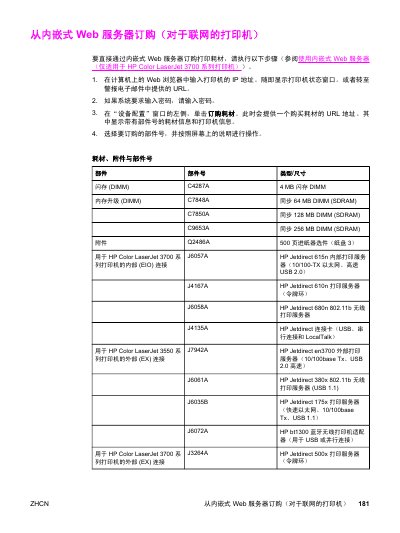
This document provides instructions on ordering printer consumables directly through the Embedded Web Server for connected HP Color LaserJet 3700 Series printers. Users can access a purchase URL by entering the printer's IP address in a web browser and selecting 'Order Supplies' from the Device Configuration window.
The guide includes a comprehensive list of compatible parts, categorized into Flash DIMMs, memory upgrades, paper trays, print servers (Jetdirect), toner cartridges for both 3550 and 3700 series models, image transfer kits, fuser kits, cables, and various types of paper. This manual is written in Chinese.
The part number for a 4 MB flash DIMM memory upgrade is C4287A.
The part numbers are Q2681A for cyan, Q2682A for yellow, and Q2683A for magenta.
The standard USB 2.0 printer cable is 2 meters long.