
Key facts
Start here
HP Officejet 6500 Wireless Printer Quick Start Guide
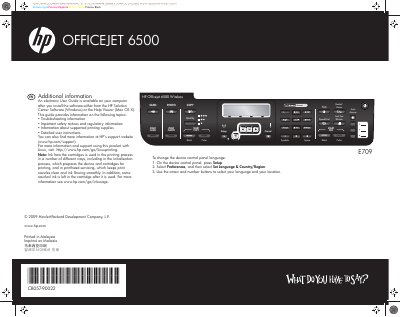
This sheet describes the control panel of the HP Officejet 6500 Wireless printer. It identifies the buttons for scan, copy, fax, and photo functions, and states that the unit was printed in Malaysia.
It explains how to change the control panel language through Setup, Preferences, and Set Language & Country/Region. After installing the HP software, an electronic User Guide is available on the computer with troubleshooting, safety, supplies, and detailed user instructions.
HP Officejet 6500 specifications
| Functions | Printing, fax, scanning, copying |
|---|---|
| Print technology | HP Thermal Inkjet |
| Maximum print speed | 32 ppm black and white, 31 ppm color |
| Laser-comparable print speed | Up to 10 ppm black and white, up to 7 ppm color |
| Color print resolution | Up to 4800 x 1200 optimized dpi |
| Scan resolution | Optimized up to 4800 ppp; hardware up to 4800 x 4800 ppp |
| Connectivity | 1 USB 2.0, 1 Ethernet, wireless 802.11b/g/n, 2 memory card slots, 1 fax RJ-11 |
| Memory | 64 MB maximum/standard |
| Display | 2.36-inch diagonal, 480 x 234, color touchscreen |
| Fax memory | Up to 100 pages |
| Modem speed | Up to 33.6 kbps |
| Monthly duty cycle | Up to 7,000 pages |
| Compatible operating systems | Windows 7, Windows Vista, Windows XP (SP2), Mac OS X v10.5 and v10.6, Linux |
| Operating temperature | 59 to 90 F (15 to 32 C) |
Source: HP Officejet 6500A Plus e-All-in-One Multifunction Printer Product Leaflet
All HP Officejet 6500 documents by type
The shortest path to a working setup, usually only a few pages.
Day-to-day operation, settings and troubleshooting. Start here if the product is already set up.
Questions answered in these manuals
How do I change the device control panel language?
Press Setup on the control panel, select Preferences, then Set Language & Country/Region, and use the arrow and number buttons to select your language and location.
Where is the electronic User Guide?
It is available on your computer after you install the HP software, from HP Solution Center on Windows or Help Viewer on Mac OS X.
What functions does the HP Officejet 6500A Plus e-All-in-One provide?
It provides printing, fax, scanning, and copying.
From: HP Officejet 6500A Plus e-All-in-One Multifunction Printer Product Leaflet
What is the maximum print speed?
It prints up to 32 ppm in black and white and 31 ppm in color.
From: HP Officejet 6500A Plus e-All-in-One Multifunction Printer Product Leaflet
Can users repair the device themselves?
No, there are no user-serviceable parts inside the assembly; qualified service personnel should be contacted for repair issues.
From: HP Officejet 6500 (E709) All-in-One Series User Manual
What operating systems are mentioned as supported?
The manual mentions support for Windows (including Windows XP and Vista) and Mac OS X.
From: HP Officejet 6500 (E709) All-in-One Series User Manual