
Key facts
- Brand
- HP
- Model
- Photosmart 630 series
- Category
- Digital cameras
- Industry
- Electronics
- Documents
- 2
- Languages
- DA · EN
- Last added
- 2026-11-23
Start here
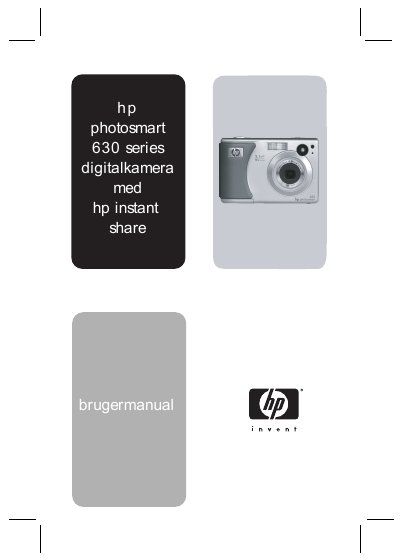
HP Photosmart 630 Series Digital Camera User Manual
This Danish-language user manual covers the HP Photosmart 630 series digital camera. It introduces camera parts and preparation, including the wrist strap, lens cap cord, batteries and optional memory card, and describes taking still images and video clips, playback, HP Instant Share, transfer and printing, setup options, troubleshooting and support.
The manual also covers camera modes and menus, flash, zoom, exposure, white balance, ISO speed, color, saturation and sharpness settings, plus battery handling and camera accessories.
HP Photosmart 630 series specifications
| Resolution (still pictures) | 2.11 MP (1688 × 1248) |
|---|---|
| Video resolution | 320 × 240 pixels |
| Sensor diagonal | 5.68 mm (1/3.2‑inch) |
| Internal memory | 16 MB |
| Lens focal length | Wide 5.2 mm, Telephoto 14.4 mm |
| Maximum optical zoom | 3× |
| Maximum digital zoom | 4× |
| Shutter speed range | 1/2000 s to 2 s |
| Power consumption | 2.0 W (667 mA @ 3.0 V) |
All HP Photosmart 630 series documents by type
Day-to-day operation, settings and troubleshooting. Start here if the product is already set up.
Questions answered in these manuals
What can HP Instant Share do?
It lets you mark pictures in the camera so they are automatically sent to e-mail addresses, online albums or other destinations the next time the camera is connected to a computer.
What does direct printing allow?
It lets you mark pictures in the camera so they are automatically printed the next time the camera is connected directly to an HP Photosmart printer or another HP printer with a front-panel USB port.
How do I turn the camera on and off?
Use the ON/OFF switch; it turns the camera power on and off.
What batteries does the HP Photosmart 630 use?
It uses two AA batteries (non‑rechargeable) or optional rechargeable NiMH batteries, and can be powered by an HP AC adapter.