
Key facts
- Brand
- HP
- Model
- 200 系列
- Industry
- Electronics
- Documents
- 51
- Languages
- ZH · EN
- Last added
- 2026-11-27
Start here
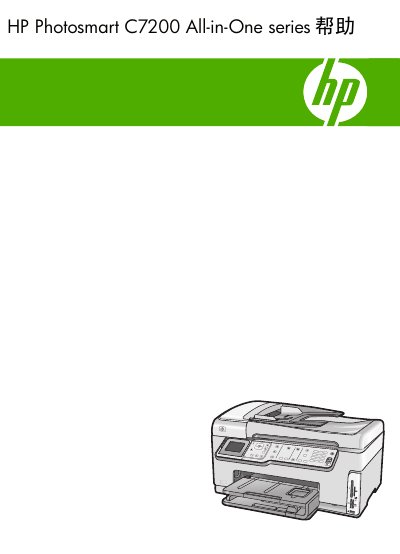
HP Photosmart C7200 All-in-One Series User Manual
This guide covers every aspect of the HP Photosmart C7200 All‑in‑One printer. It details the control‑panel layout, menu options for copy, scan, fax and photo printing, as well as text entry methods and display icons.
The manual also explains how to connect the device via Ethernet, Wi‑Fi or Bluetooth, configure network settings, perform routine maintenance such as cleaning the print head and replacing ink cartridges, and troubleshoot common issues. This manual is written in Chinese.
HP 200 系列 specifications
| Processor | Marvell PXA310, 624 MHz |
|---|---|
| RAM | 128MB |
| ROM | 256MB |
| Display | 4-inch VGA TFT with touch screen |
| Wireless LAN | IEEE 802.11b/g with WEP through WPA2-Enterprise |
| Bluetooth | v2.0 with EDR |
| Battery | 2200 mAh |
| Operating System | Windows Mobile® 6 Classic Edition |
Source: HP iPAQ 200 Series Enterprise Handheld Product Leaflet
All HP 200 系列 documents by type
- HP iPAQ 200 Series Enterprise Handheld Product Leaflet 8 p
- HP dx7200 Commercial PC Series Product Leaflet 2 p
- HP dx2200 Commercial Desktop PC Product Leaflet 2 p
- HP Integrity NonStop NB16200 server Manual(1) 4 p
- HP Integrity NonStop NB16200 server Manual 4 p
- HP StorageWorks XP24000/XP20000 RAID Selection Guide 8 p
- HP XP24000/XP20000 Disk Array Product Leaflet 8 p
- HP ProCurve 5400zl, 3500yl, 6200yl Series Technical Overview 64 p
Day-to-day operation, settings and troubleshooting. Start here if the product is already set up.
- HP LaserJet 4200/4300 Printer User Manual 202 p
- HP LaserJet 5200 Series Printer User Manual 236 p
- HP ScanJet 2200c Scanner User Manual 1 p
- HP Photo Scanner 1200 User Manual 46 p
- HP Photosmart 8200 Series User Manual 66 p
- HP Deskjet F4200 All-in-One Series User Manual 229 p
- HP Photosmart C7200 All-in-One Series User Manual 301 p
- HP Deskjet F2200 All-in-One Series User Manual 222 p
- HP c200 Digital Camera User Manual 80 p
- HP T200 Digital Camcorder User Manual 47 p
- HP LCD Monitor User Manual for vp15, vp17, vp19, FP1707, WF1907, w1907, w2007, w2207, w2408 52 p
- HP tc4200 Commercial Laptop User Manual 2 p
- HP xw6200 Workstation Manual 2 p
- HP iPAQ hx2000 Handheld Device User Manual 2 p
- HP Photosmart D7200 series Printer Basics Guide 57 p
- HP LaserJet 5200 series printer 5200 5200tn 5200dtn Manual 4 p
- HP 1859m, 2009m/v/f, 2159m/v, 2309m/v LCD Monitor User Manual 48 p
- HP Photosmart C5200 All-in-One Series Basic Guide 56 p
- HP Photosmart C6200 All-in-One User Manual 187 p
- HP Photosmart C7200 All-in-One series Manual 85 p
- HP LaserJet 3200 Series Multifunction Printer/Fax/Copier/Scanner User Manual 2 p
- HP VP6200 Series Digital Projector User Manual 39 p
- HP Designjet Z5200 Printer Manual 2 p
- HP Designjet Z5200 Printer User Manual 2 p
- HP LD4200 and LD4700 LCD Display User Manual 79 p
- HP Deskjet D4200 Series Printer User Manual 117 p
- HP Officejet 7200 All-in-One Series User Manual 235 p
- HP Z200 SFF Workstation User Manual 2 p
- HP Deskjet D4200 Series User Manual 16 p
- HP Photosmart C6200 All-in-One Basic Knowledge Manual 33 p
- HP Deskjet F4200 All-in-One Printer Basics Guide 33 p
- HP PSC 1200 Series All-in-One Reference Manual 48 p
- HP ProCurve 8200zl Series Switch User Manual 8 p
- HP ProCurve Switch 6200yL24G-mGBIC User Manual 8 p
- HP Officejet 4200 Series All-in-One User Manual 156 p
- HP Photosmart C4200 All-in-One Knowledge Manual 41 p
- HP Photosmart 8200 series User Manual 80 p
- HP Photosmart 7200 Series Printer Basic Operating Instructions 62 p
- HP Officejet 6200 Series All-in-One User Manual 173 p
Mounting, wiring and first power-up. Read it before the hardware goes in.
Questions answered in these manuals
HP iPAQ 200 系列支持哪些无线标准?
支持 IEEE 802.11b/g 无线网络和蓝牙 2.0 与 EDR。
From: HP iPAQ 200 Series Enterprise Handheld Product Leaflet
设备的处理器型号是什么?
搭载 Marvell PXA310 处理器,主频 624 MHz。
From: HP iPAQ 200 Series Enterprise Handheld Product Leaflet
What page description languages are supported?
The printer supports PCL 5 and PCL 6.
Where can I find online support for the HP LaserJet 4200/4300?
Visit HP support pages at http://www.hp.com/support/1;4200 and http://www.hp.com/support/||4300.
How can the printer be connected to a network?
Network connection is provided through HP Jetdirect Ethernet interface.
Where can I find the Easy Printer Care software?
HP Easy Printer Care software is mentioned in the manual and can be obtained from HP’s website.