
HP Pavilion LCD HDTV HP Pavilion LC3700N 37-Inch (94-Centimeter) LCD High-Definition Television HP Pavilion LC3200N 32-Inch (81-Centimeter) LCD High-Definition Television HP Pavilion LC2600N 26-Inch

This user's guide is about HP Pavilion LCD HDTV, including 37-inch, 32-inch and 26-inch models.
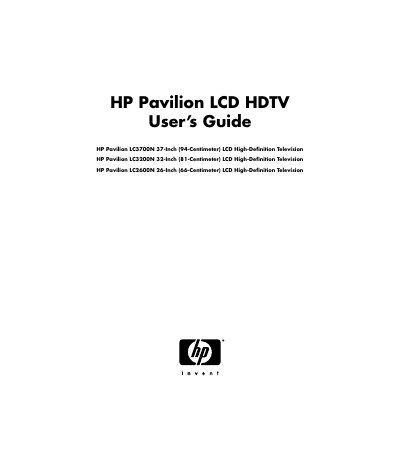

HP Pavilion LCD HDTV HP Pavilion LC3700N 37-Inch (94-Centimeter) LCD High-Definition Television HP Pavilion LC3200N 32-Inch (81-Centimeter) LCD High-Definition Television HP Pavilion LC2600N 26-Inch - cover page
Brand
HP
Category
Television
Document type
User Manual
Language
English
Pages
322
File format
PDF
File size
6.3 MB
Published
04 June, 2012
Updated
30 September, 2023
MD5 checksum
3280EA7073C441C4A721E77809E00A52

About this manual

This user manual provides safety guidelines, installation instructions, and operational procedures for HP Pavilion LCD HDTVs. It covers models LC3700N, LC3200N, and LC2600N, including precautions for electrical safety, proper ventilation, and handling of the product. The manual also includes warnings about potential hazards such as electrical shock and fire risks, and advises users to consult qualified service personnel for repairs or maintenance.

The guide details how to safely connect the TV using shielded cables, comply with FCC regulations, and avoid interference with other electronic devices. It also includes important safety instructions such as not using the TV near water, not blocking ventilation, and not using extension cords or unapproved accessories.

What's inside

  • Safety Precautions
  • Installation and Mounting
  • Electrical Safety
  • FCC Compliance
  • Troubleshooting and Servicing

Frequently asked questions

What models does this manual cover?

HP Pavilion LC3700N, LC3200N, and LC2600N.

What are the screen sizes of the HP Pavilion LCD HDTV models listed?

The models are 37-inch, 32-inch, and 26-inch.

What is required to view encrypted digital programming on this TV?

A security card provided by your cable operator is required.

What should you do if the TV causes harmful interference to radio or television reception?

Try reorienting or relocating the receiving antenna or increasing separation between the equipment and receiver.

Download PDF (6.3 MB)

More HP Manuals


View all HP manuals →