
Key facts
- Brand
- HP
- Model
- P1560 和 P1600 系列
- Category
- Printer
- Industry
- Electronics
- Documents
- 3
- Languages
- ZH · EN
- Last added
- 2026-11-26
Start here
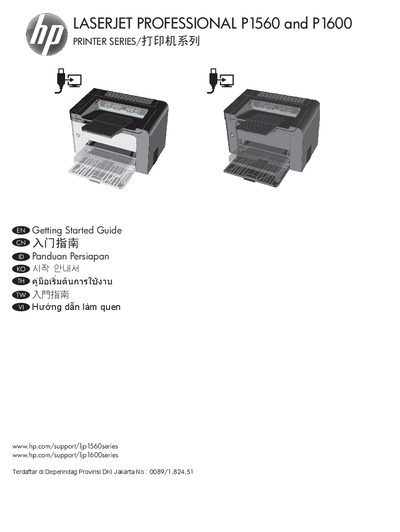
HP LaserJet P1560/P1600 Printer Getting Started Guide
The Getting Started Guide introduces the HP LaserJet P1560 and P1600 series printers and explains how to prepare the device for use. It covers product requirements, power specifications, and the steps needed to install the printer via USB or network connections.
The guide details the installation process for Windows (USB and network) and Mac, including how to run the HP Smart Install program, configure the printer’s IP address, and access the embedded web server. It also describes control‑panel indicators for troubleshooting and includes safety and regulatory information.
HP P1560 和 P1600 系列 specifications
| Supported Voltage | 110‑127 VAC or 220‑240 VAC, 50/60 Hz |
|---|---|
| USB Cable Type and Length | A‑to‑B USB cable, max 2 m (6.56 ft) |
| Power Cord Requirement | Use only the power cord provided with the product |
Source: HP LaserJet P1560/P1600 Printer Getting Started Guide
All HP P1560 和 P1600 系列 documents by type
Day-to-day operation, settings and troubleshooting. Start here if the product is already set up.
The shortest path to a working setup, usually only a few pages.
Questions answered in these manuals
How do I clean the paper path?
Clean the paper path as necessary. See Clean the paper path on page 69.
What should I do if my print is light or faded?
The print cartridge is nearing end of life. Redistribute the toner to extend the life. See Redistribute toner on page 58. The media might not meet HP specifications. Adjust the print density, and disable EconoMode in the printer Properties.
How do I replace the toner cartridge?
Remove the old cartridge and install a new HP toner cartridge as described in the “更换打印碳粉盒” section.
From: HP LaserJet Professional P1560 P1600 Series User Manual
How do I install the printer driver on Windows?
Use the provided CD or download the driver from HP’s website, then follow the “选择用于 Windows 的正确打印机驱动程序” instructions.
From: HP LaserJet Professional P1560 P1600 Series User Manual
What voltage ranges does the printer support?
The printer operates on 110‑127 VAC or 220‑240 VAC at 50/60 Hz.
What type and length of USB cable is required for installation?
An A‑to‑B USB cable no longer than 2 meters (6.56 ft) is required.